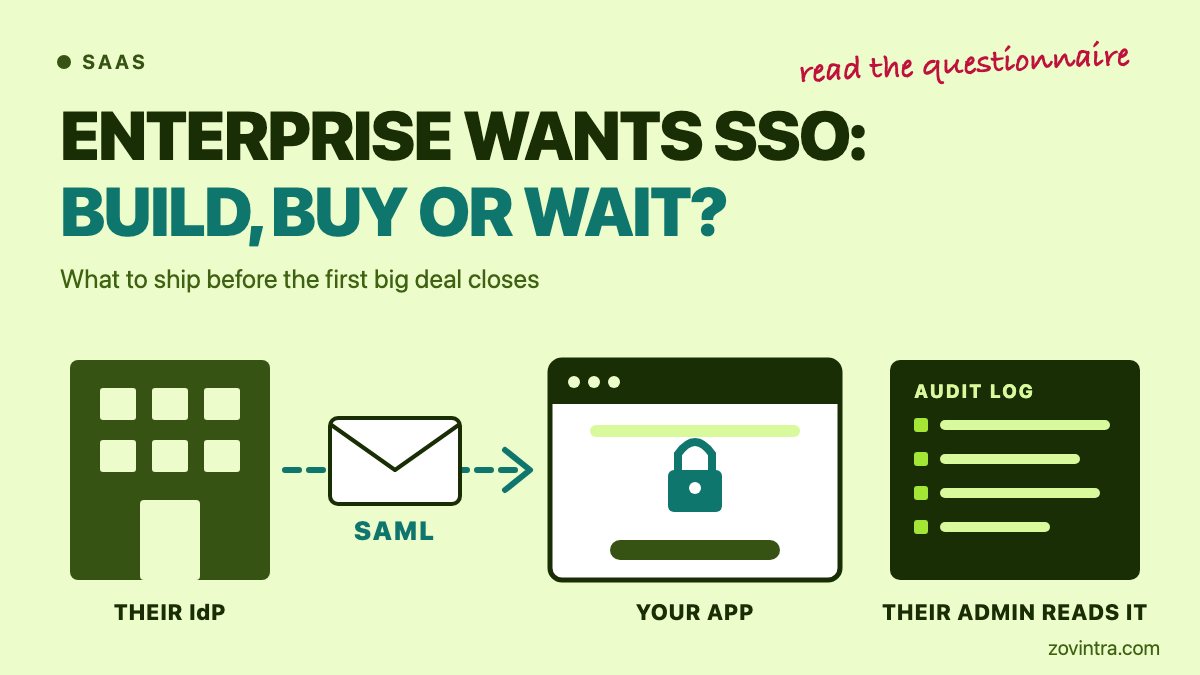
For a first enterprise deal you usually need three things: SAML single sign-on (SSO) working for that one customer, a fast way to remove their people, and an activity log their admin can read. If your app runs on Supabase Auth, you can get the first one on a Pro plan or higher. But the Supabase SAML docs page says Single Logout is not supported and does not mention SCIM (System for Cross-domain Identity Management). So the first decision is not build or buy. It is what this buyer's security questionnaire actually requires, and by when.
What is your first enterprise buyer really asking for?
"We need SSO" is shorthand. The buyer's IT team wants its own identity provider (IdP), such as Okta or Microsoft Entra, to decide who can sign in to your app. When someone leaves the company, one change at the IdP should close the door. Read the questionnaire line by line and sort each item into sign-in, account lifecycle, visibility or permissions. Then ask the buyer four questions before you write any code:
- Which IdP do you use, and is SAML required, or is OpenID Connect (OIDC) acceptable?
- Is SCIM a condition of signing, or a wish for later?
- How many people will sign in on the first day?
- What date are you working to: a pilot start, or a security review slot?
A date, not the word "enterprise", sets your deadline. Buyers often accept a written roadmap date for items they do not need on day one. That is general practice, not a rule, so ask.
SSO, SCIM, audit logs, roles: which comes first?
WorkOS, a vendor that sells these products, published an enterprise-readiness checklist on 6 May 2026. It names ten features, including SSO, SCIM, role-based access, audit logs, multi-factor authentication (MFA) and a self-serve admin portal. Four of them come up in most first deals:
- SSO: staff sign in with the company IdP. It is usually the first request, because it is hard to answer with "not yet".
- SCIM: the IdP creates, updates and disables accounts in your app by itself. Microsoft's Entra documentation describes SCIM 2.0 as a standard with /Users and /Groups endpoints, defined in RFCs 7642, 7643 and 7644. SSO is about login. SCIM is about the account's whole life.
- Audit logs: a record of who did what to which object, and when.
- Roles: what each person inside the customer's company may do in your product.
A WorkOS guide to identity questions, dated 14 September 2026, makes a useful point. Provisioning is a convenience, and deprovisioning is the control buyers care about. It says Okta and Entra typically deprovision by setting a user's active status to false, so an app that only reacts to delete events leaves that person able to work. WorkOS is a vendor, so treat that as its view, but it is a behaviour you can test.
One more point, from general engineering practice. Disabling a user at the IdP stops new sign-ins. It does not by itself end a session that is already open in your app. Your token lifetime does that, so know the number before a buyer asks.
What does Supabase Auth give you for SAML, and where does it stop?
Everything below comes from Supabase's own SAML docs page and pricing page. Neither page shows a date, and prices change, so check both before you quote them to a buyer. We have not tested the setup against any identity provider.
What you get:
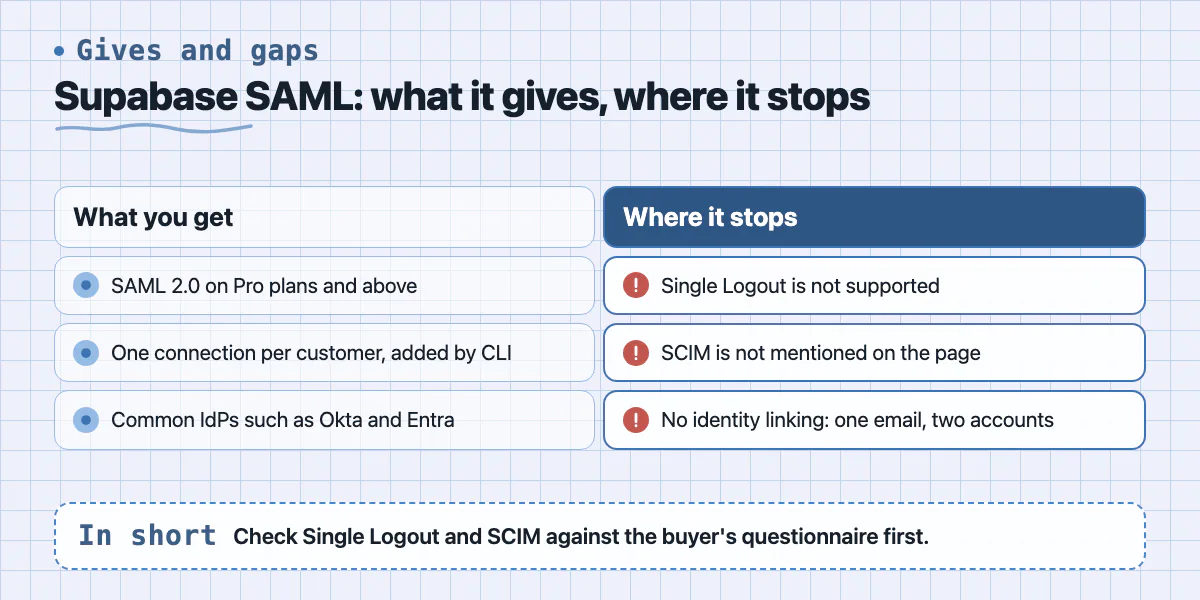
- SAML 2.0 on Pro plans and above. It is off by default and you switch it on under Auth Providers.
- One connection per customer, added with the Supabase CLI (version 1.46.4 or higher) from the customer's metadata URL or XML file, together with their email domain. The dashboard only enables SAML. Only people with write access to the project can register an IdP.
- A "non-exclusive" list of IdPs: Google Workspace, Okta, Auth0, Microsoft Entra, PingIdentity and OneLogin among them. For others you open a support ticket.
- A price: the pricing page lists 50 SAML SSO monthly active users (MAU) on Pro and Team, then $0.015 per SSO MAU.
Where it stops:
- Single Logout is not supported. Logging out of the IdP does not reliably log the user out of your app.
- SCIM is not mentioned on the page. Plan on no automatic account lifecycle from Supabase alone.
- SSO accounts are not eligible for identity linking, so the same email can exist as two separate accounts. Key your tenant data on the user's UUID, never on the email address.
- IdP-initiated sign-in, where a user clicks your tile inside the customer's portal, is described as not compatible with PKCE (Proof Key for Code Exchange). The page suggests a bookmark app that starts sign-in from your side. Tell the buyer early.
- Removing a connection logs its users out at once. Their data stays but cannot be reached.
Build, buy or put an auth vendor in front?
These three options are our general engineering judgement, not a ranking from any source.
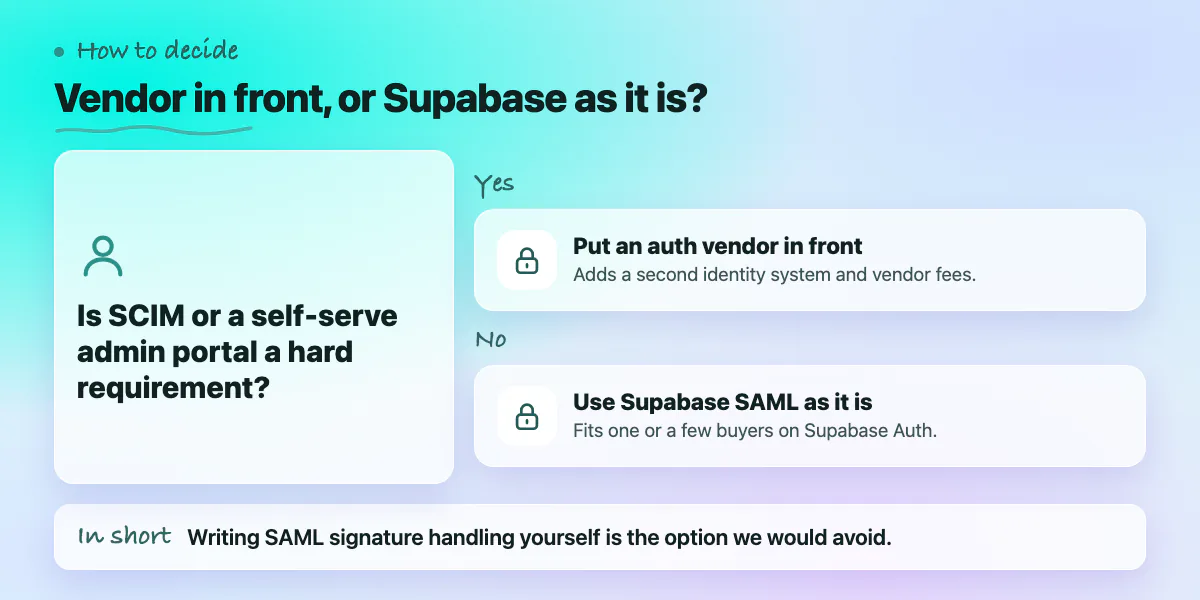
- Use Supabase SAML as it is. It fits when you have one or a few buyers, SAML sign-in is the real ask, you already use Supabase Auth, and the buyer accepts no SCIM or Single Logout for now. Your costs are the plan and per-user fee above, plus a written setup routine per customer.
- Put an auth vendor in front. WorkOS, Clerk and Auth0 are examples of services that sell SSO and SCIM. It fits when SCIM or a self-serve admin portal is a hard requirement, or you expect many connections. Your costs are a second identity system, vendor fees we have not compared, and the work of making its identity reach your database. Our post on using Firebase Auth with Supabase RLS shows the same pattern with another provider.
- Build it yourself. We would not write SAML signature handling from scratch. XML signature checks are easy to get wrong and hard to see. At the least, use a maintained library. This only makes sense if SSO is your product.
What should an audit log your customer's admin can read contain?
Supabase's logs do not cover this. Its Auth audit logs record authentication events such as sign-ups, sign-ins, password changes, token refresh and sign-out. They can sit in external storage or, optionally, in the auth.audit_log_entries table. The page describes access through your project dashboard and does not mention access for your customers. The pricing page lists audit log retention of 7 days on Pro and 28 days on Team. Those logs are for you. A customer's admin needs a log of what people did inside your product, limited to their own organisation.
As general practice, write those events to your own table from your own code and include:
- Who: user ID and organisation ID.
- What: a fixed action name, such as invite_sent or role_changed.
- Which object: the record or setting that changed.
- When: a timestamp in UTC.
- From where: the IP address, and the result (allowed or denied).
- Access: a CSV export or an API to start with, and tenant-scoped row-level security so organisation A can never read organisation B. Our row-level security lessons show how we test that on a real client app.
For retention, the US cyber agency CISA's Secure by Demand guide suggests buyers ask cloud and SaaS providers to keep security logs for at least six months at no extra charge. It is voluntary guidance, not law, but a security team may quote it, so it is a fair starting target.
What can wait until after the first deal, and what cannot?
Use this as a decision list. Each line is general practice, so adjust it to what your buyer actually wrote.
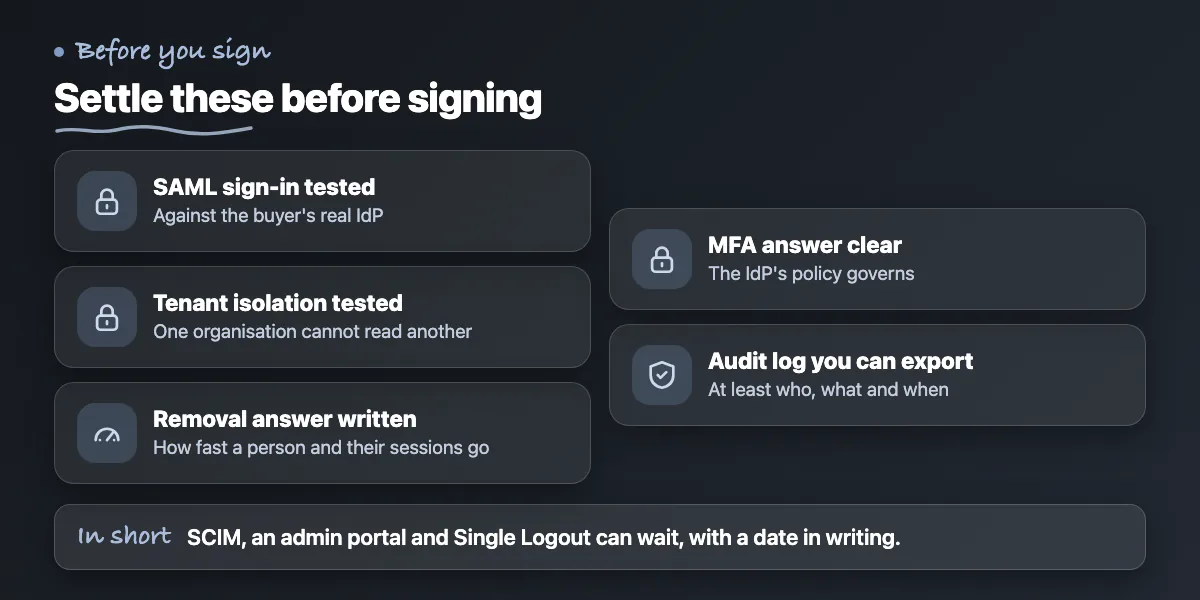
- Before signing: SAML sign-in working against the buyer's real IdP in a trial connection, not only a test IdP.
- Before signing: a tested rule that a user in one organisation cannot read another organisation's data. Our access control post covers how that fails.
- Before signing: a written answer on how fast you can remove a person and end their sessions, with the real numbers for your token lifetime.
- Before signing: a clear answer on MFA. The strongest one is that once SSO is on for an organisation, the IdP's policy governs and other sign-in methods are switched off for them.
- Before signing: an audit log with at least who, what and when, which you can export on request.
- Can wait, with a date in writing: SCIM, if the buyer's team is small and the IdP can disable accounts by hand.
- Can wait: a self-serve admin portal. For the first customers you can do the setup yourself.
- Can wait: log streaming to the customer's own tools, Single Logout, and IdP-initiated sign-in if a bookmark link is acceptable.
Never put a date in a contract that you cannot meet.
When you can skip this for now
If no buyer has asked, do not build SSO on a guess. Supabase adds SAML one customer at a time through a CLI command, so you can wait for a real request. Some small buyers are happy with Google or Microsoft sign-in plus MFA, so ask before you assume they need SAML. If your basics are not in place, fix those first: roles, tenant isolation and an audit trail matter more than a login button. Our minimum viable secure MVP post lists that baseline.
Want help scoping the work?
We build SaaS products on Next.js and Supabase, and the pieces around SSO are our daily work: tenant-scoped roles, row-level security and audit logs. If you have a questionnaire and a deadline, we can read it with you and write a scoped plan that says what to switch on, what to buy and what goes on a dated roadmap. You can contact us or read about our web and SaaS development. For the database side, see the Mandizo case study.
Common questions
Does Supabase support SAML SSO?
Yes. Supabase's docs say SAML 2.0 is offered on Pro plans and above. You enable it, then add each customer's identity provider with the Supabase CLI. The same page says Single Logout is not supported and does not mention SCIM, so check those two against your buyer's questionnaire.
What is the difference between SSO and SCIM?
SSO lets people sign in to your app with their company identity provider. SCIM lets that provider create, update and disable their accounts in your app automatically. SSO handles login. SCIM handles the account lifecycle. Many first deals need SSO only.
Can I delay SSO and still win my first enterprise deal?
Sometimes. It depends on the buyer's questionnaire and their date. Ask which items are conditions of signing and which can follow a written roadmap. Sign-in, tenant isolation and a basic audit log are the items we would not postpone. SCIM and an admin portal are common to schedule for later.
Sources
- Supabase: Enterprise SSO with SAML
- Supabase pricing
- Supabase Auth audit logs
- Enterprise readiness checklist 2026
- How to answer the identity questions on an enterprise security questionnaire
- Develop a SCIM endpoint for user provisioning
- Secure by Demand Guide
Building something similar?
Talk to our engineering team about your architecture, roadmap, and delivery timeline.
Request a Technical Review →
We design, engineer, and deploy high-performance web platforms, mobile applications, and intelligent cloud systems.