BuildSense
Energy, Air Quality and Alarms for Commercial Buildings
A concept study: we worked up this product, its architecture and its screens as an example of how we would approach it. The screens use fictional demo data and are design concepts, not screenshots of a live product, and this is not a client project.
About the Project
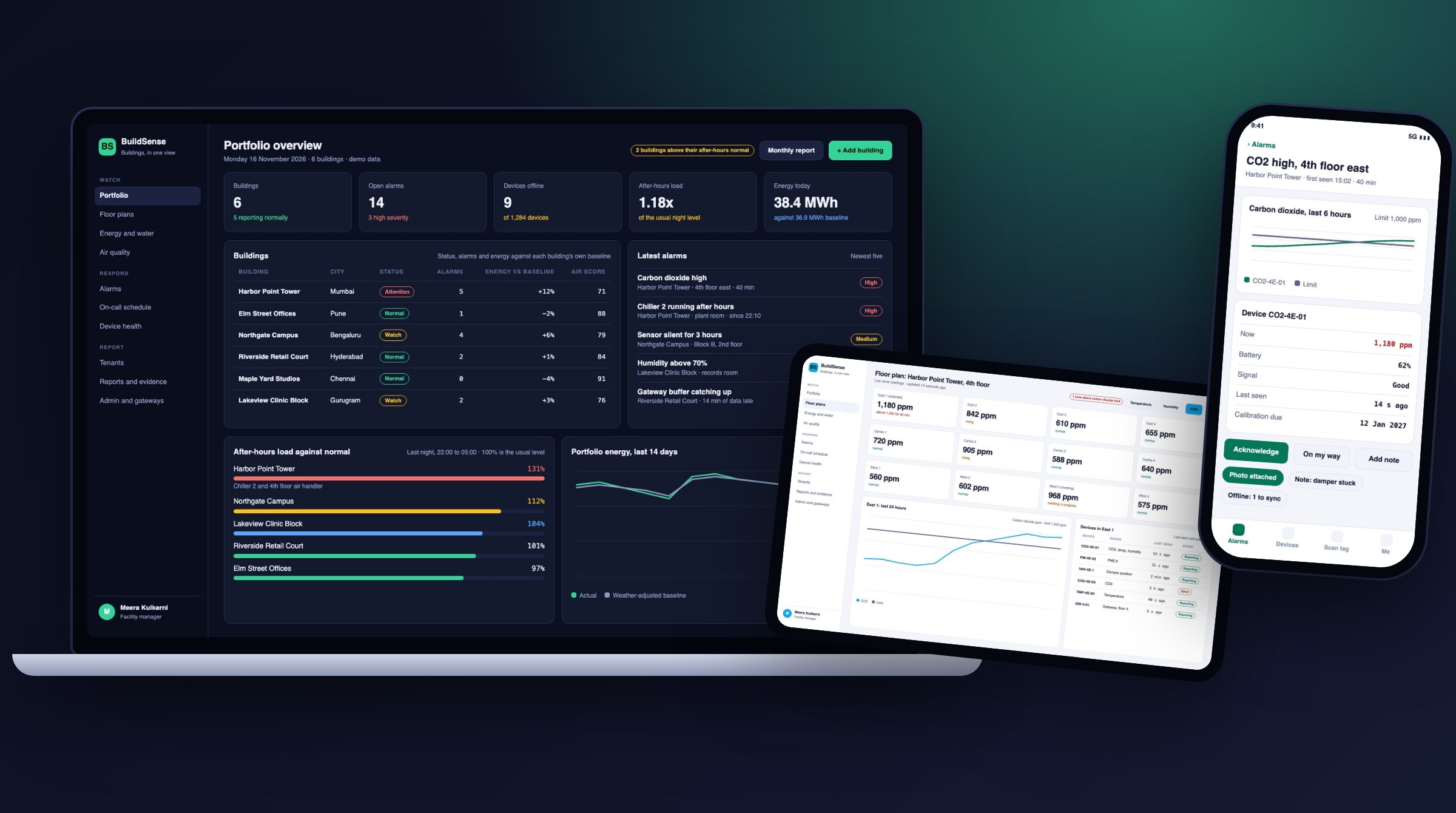
BuildSense is a design concept for a platform that reads the meters, sensors and controllers a commercial building already has. It turns those readings into energy and air quality views and sends each alarm to the right person. A facility team, such as one that runs offices, retail courts and a clinic block, would see all of this on one page instead of in several separate systems.
Trust is the central idea. Every number on screen shows the device it came from, when that device was last heard from and whether it is due for calibration. A device that goes quiet raises its own alarm, so a dead sensor is never mistaken for a calm room. Each building is compared with its own normal for the weather and occupancy of the day, not with a generic target.
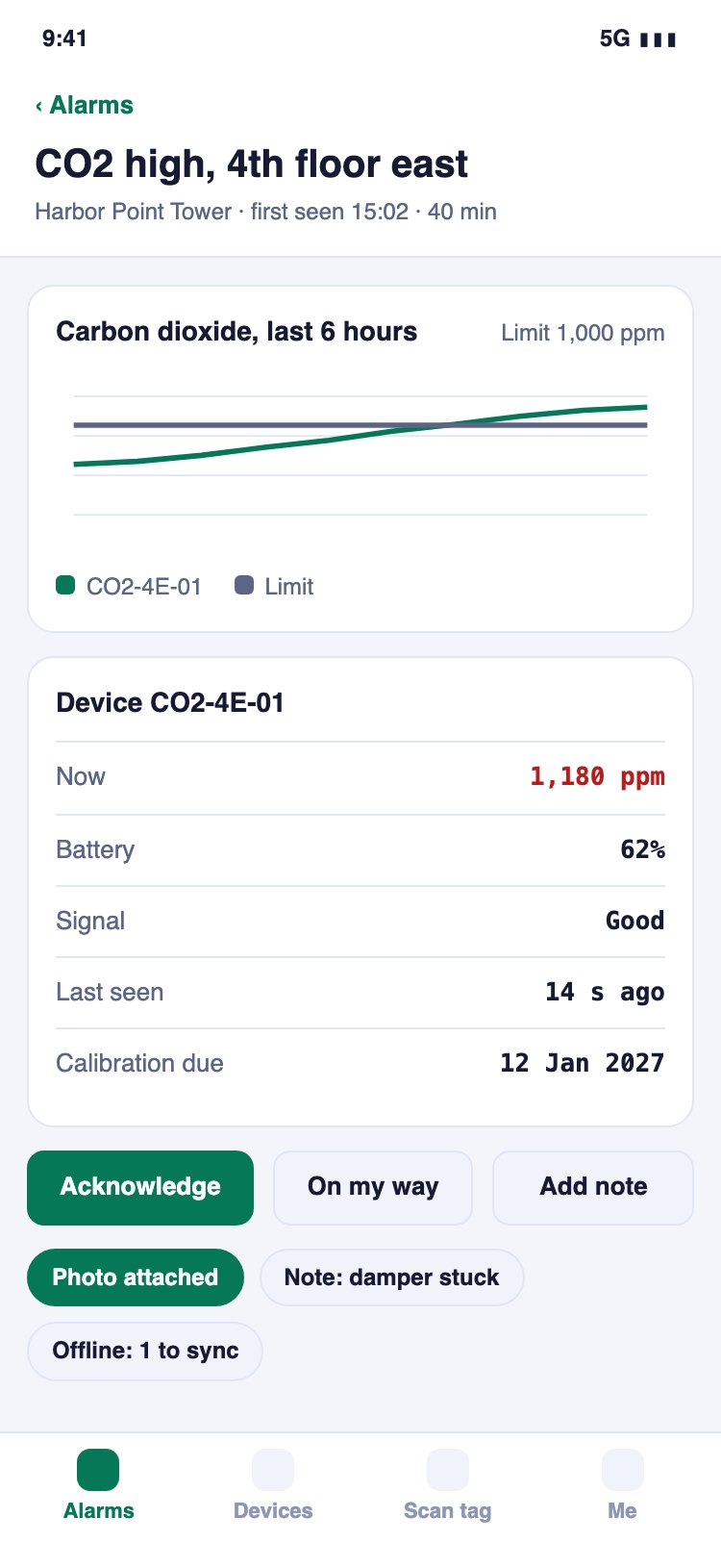
Alarms have owners. An alarm moves from new to acknowledged, in progress and resolved, escalates by an on-call schedule and ends with a written note. A technician app on the phone opens the alarm, scans the device tag and works offline. The design accounts for rules such as the EU Cyber Resilience Act and building energy rating proposals, and does not claim to satisfy them.
Why This Matters Now
Market, rule and technology context for this kind of product, checked on 16 November 2026. Each item names its source.
- The European Commission says the Cyber Resilience Act reporting duties started on 11 September 2026: makers of connected products must send an early warning within 24 hours of learning of an exploited vulnerability.European Commission, Digital Strategy, 11 Sep 2026
- Trade magazine Powerline reported that India's Ministry of Power proposed a mandatory 3 to 5 star energy rating for new office, commercial and residential buildings of 20,000 square metres or more.Powerline (trade magazine, reporting a Ministry of Power proposal), 20 Aug 2026
- The US cyber agency CISA published advisories on 13 August 2026 for building controllers, including a Siemens Desigo flaw where a malformed BACnet packet stops the device answering until it is rebooted.CISA (ICS advisory ICSA-26-225-08), 13 Aug 2026
- The same day CISA published an advisory for the Johnson Controls Metasys web interface, where a low-privilege user could plant script that runs in administrators' browsers; it advises keeping the interface off the internet.CISA (ICS advisory ICSA-26-225-14), 13 Aug 2026
- The European Commission lists 29 May 2026 as the deadline for member states to transpose the recast Energy Performance of Buildings Directive, which adds building automation and control requirements for non-residential buildings.European Commission, Directorate-General for Energy, 29 May 2026
Requirements & Objectives
- Read meters, temperature, humidity, carbon dioxide and particle sensors, and existing building controllers, through one gateway in the plant room.
- Describe every device by building, floor, zone and point type, so rules and reports work the same in every building.
- Show each reading with its device, last seen time and calibration state, and raise an alarm when a device goes silent.
- Compare energy use with a baseline for that building, adjusted for weather and occupancy, and explain every flag in plain words.
- Route alarms by severity and on-call schedule, with acknowledge, escalation, an owner and a written outcome.
- Give technicians a phone app that opens an alarm, scans a device tag and keeps notes and photos while offline.
- Keep gateway networks closed to the internet: the gateway only makes outbound connections, and each gateway has its own revocable credential.
- Produce monthly energy and air quality reports and an export of readings with device and calibration details.
The Engineered Solution
1Readings that carry their source
Every value shows the device that sent it, the time it was last heard from and its calibration date. Silent devices raise their own alarm and charts carry a data quality badge.
2A baseline for each building
Energy use is compared with what this building normally uses on a day with the same weather and occupancy. A flag comes with its reason, for example night load far above its usual level.
3Alarms with owners
Rules wait for a set time before firing and clear with a margin, so brief spikes do not page anyone. Each alarm has an owner, an escalation timer and a note that explains the fix.
4Gateways that never go dark
The gateway reads existing equipment, stores readings on its own disk when the internet drops and sends them when it returns. Late data is marked as late, never hidden.
Design Concept Screens
Design concepts with fictional demo data. They show how the product could look and work, not a live release.
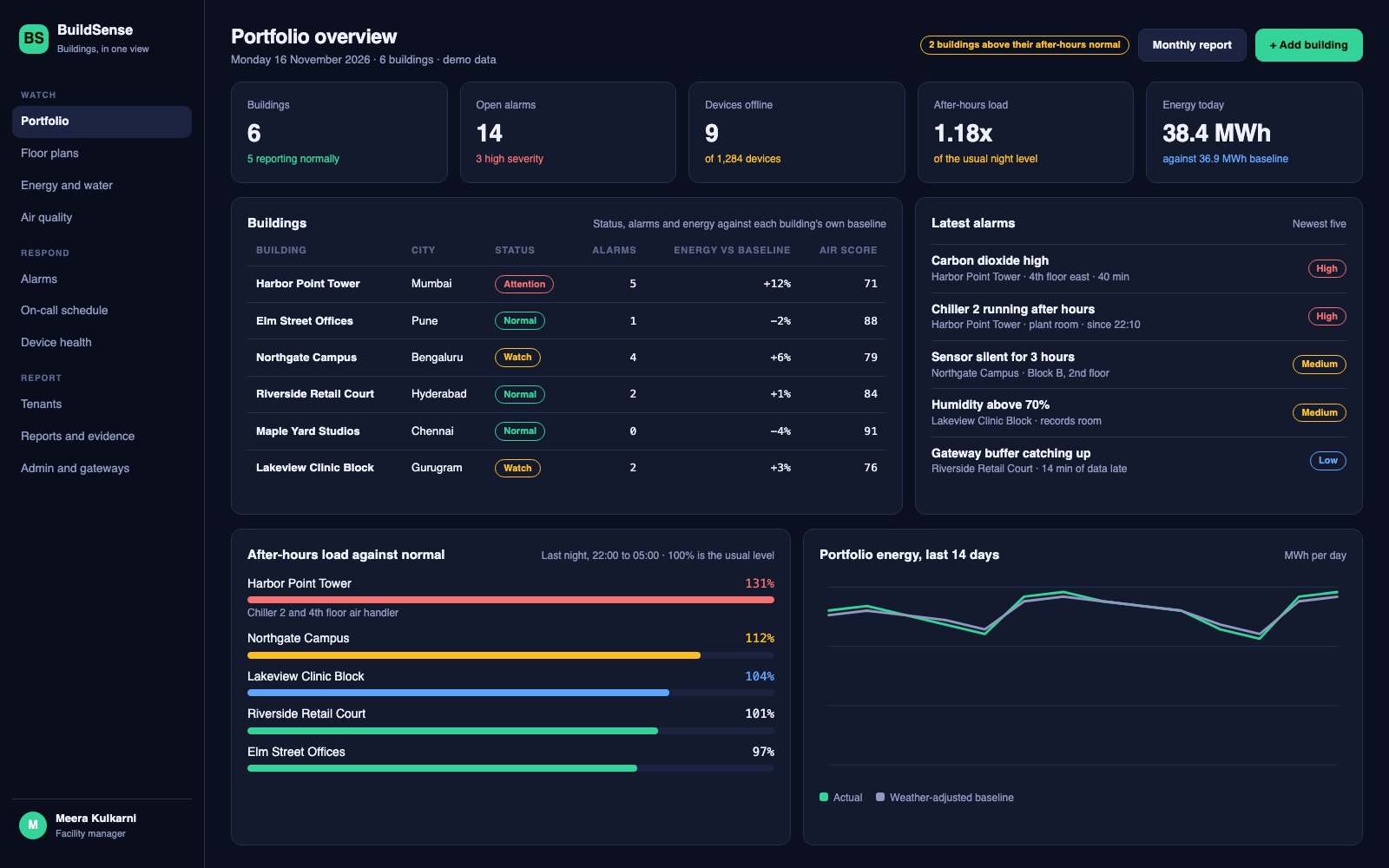
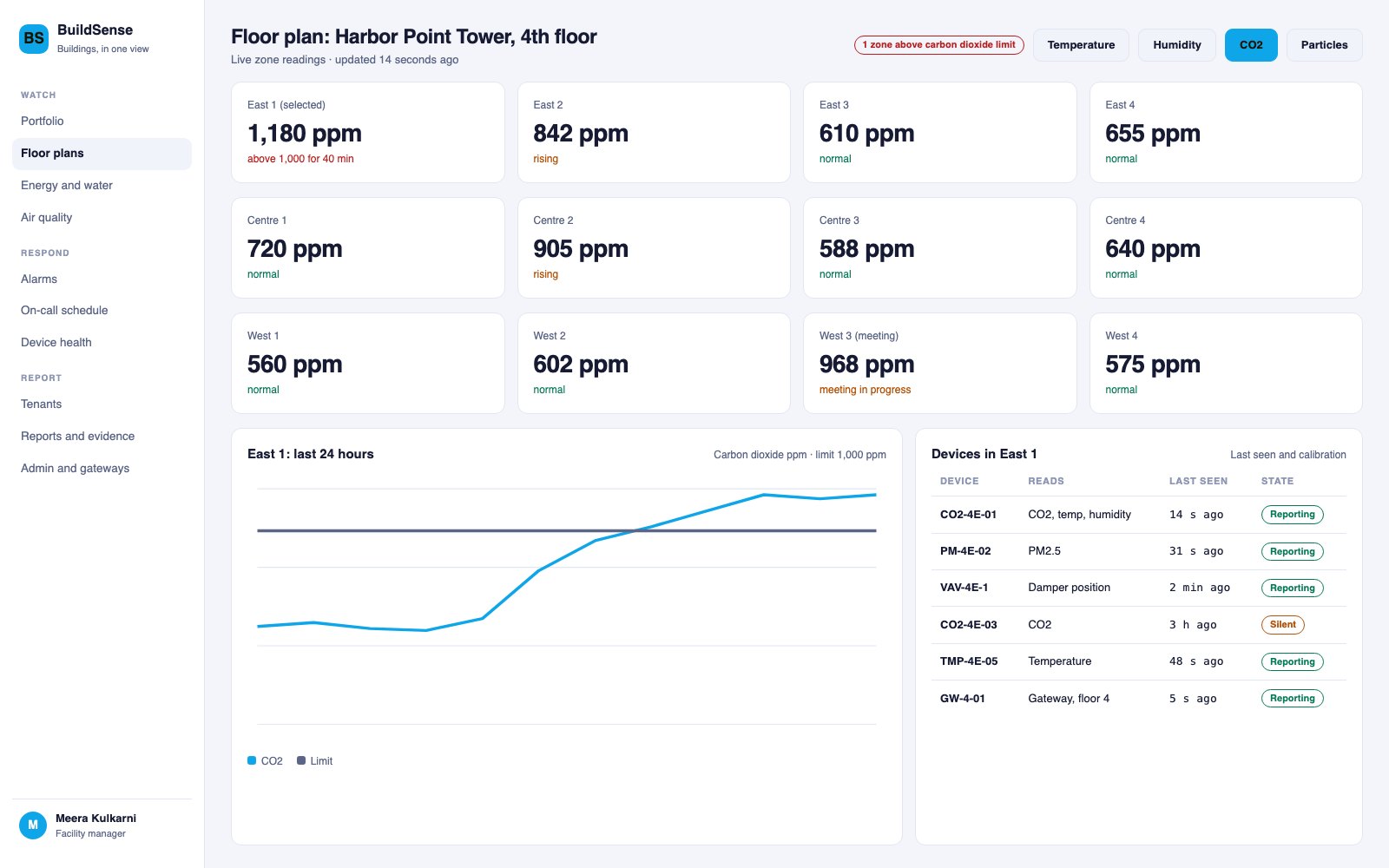
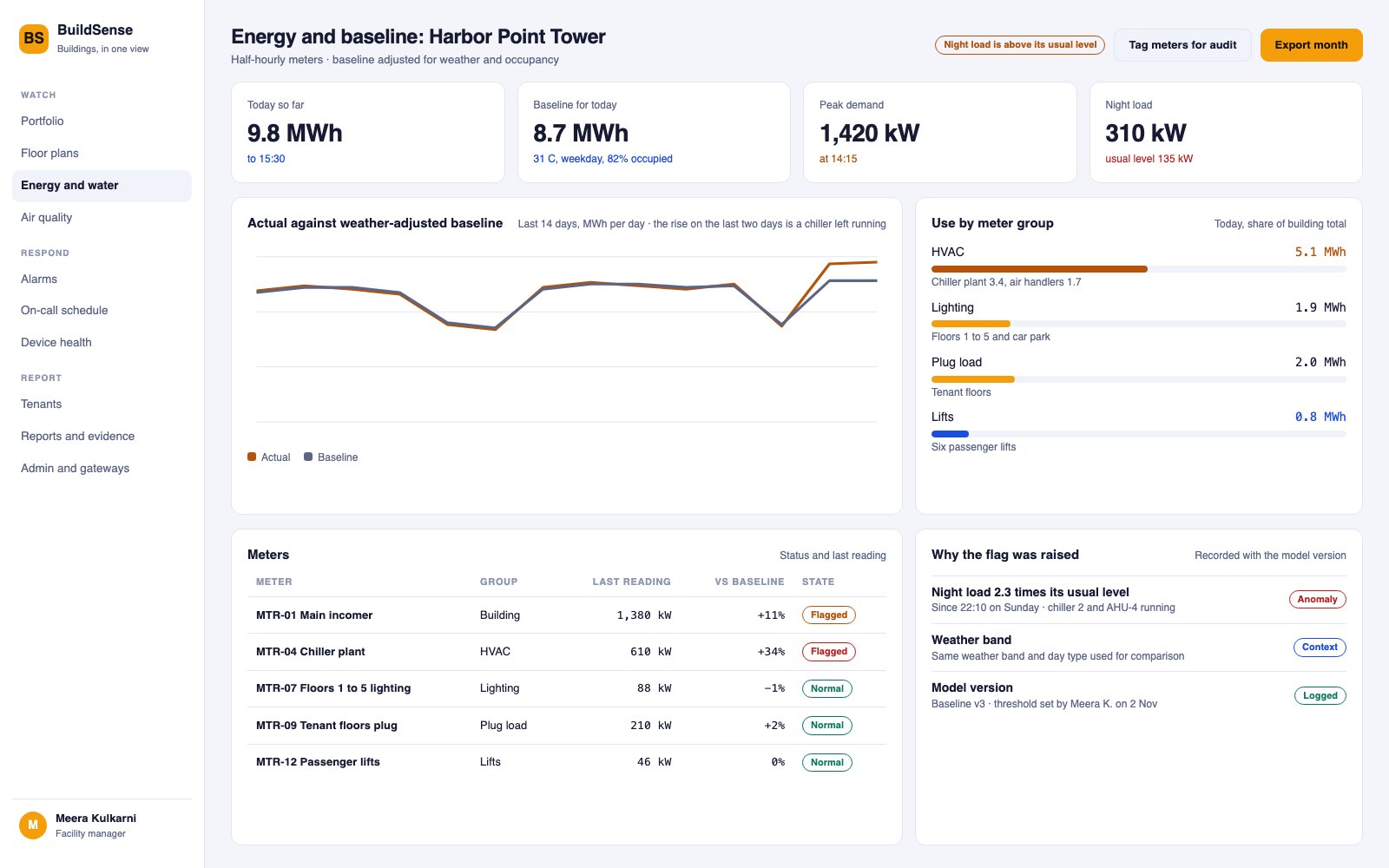
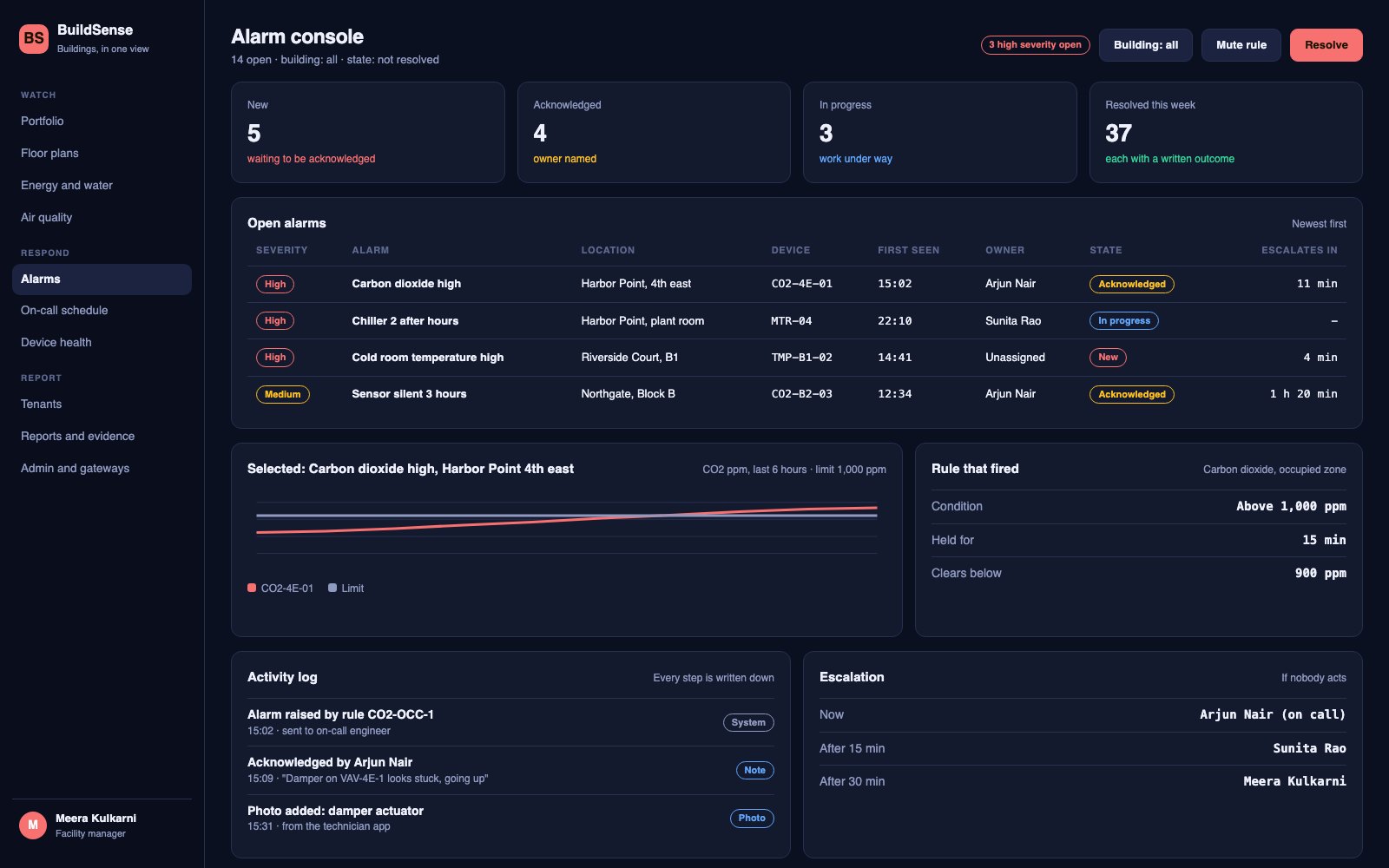
01 / 05 Portfolio overview - see which building needs attention and open its alarms
Engineering Process
- Walk each pilot building with its facility team and list every meter, controller and sensor, plus who answers which alarm today.
- Model buildings, zones, devices and point types with the Brick vocabulary, and test the mapping on one real controller export.
- Prototype the portfolio page, floor view and alarm console and test them with a facility manager and an on-call engineer.
- Build the gateway agent and the ingest path first, and replay recorded readings through them to check that nothing is lost or counted twice.
- Build the alarm engine, notifications and the technician app, and test escalation at night with a real on-call rota.
- Add the energy baselines and explained flags, and compare them with a month of the building's own bills.
- Review security with the controls vendor, install in one pilot building, write runbooks and train the facility team.
Production Tech Stack
| Layer / Component | Production Technologies |
|---|---|
| Web dashboard | Next.jsTypeScriptTailwind CSSshadcn/uiApache ECharts |
| Technician app | Expo (React Native) with QR scanningpush alerts and an offline note queue |
| Backend | Node.js with FastifyZod validationseparate ingestrules and notification services |
| Edge gateway | A small Go agent speaking BACnet/IP and Modbusbuffering to disksending over MQTT with TLS |
| Data | PostgreSQL with TimescaleDB for readingsEMQX brokerChirpStack for LoRaWAN sensorsS3 for plans and photos |
| Cloud | AWS ECS FargateSQS for alert deliveryTerraformGitHub ActionsOpenTelemetry |
What the design aims for
BuildSense aims to pinpoint what changed in a commercial building, which device measured it and who owns the alarm, all in one trusted record.