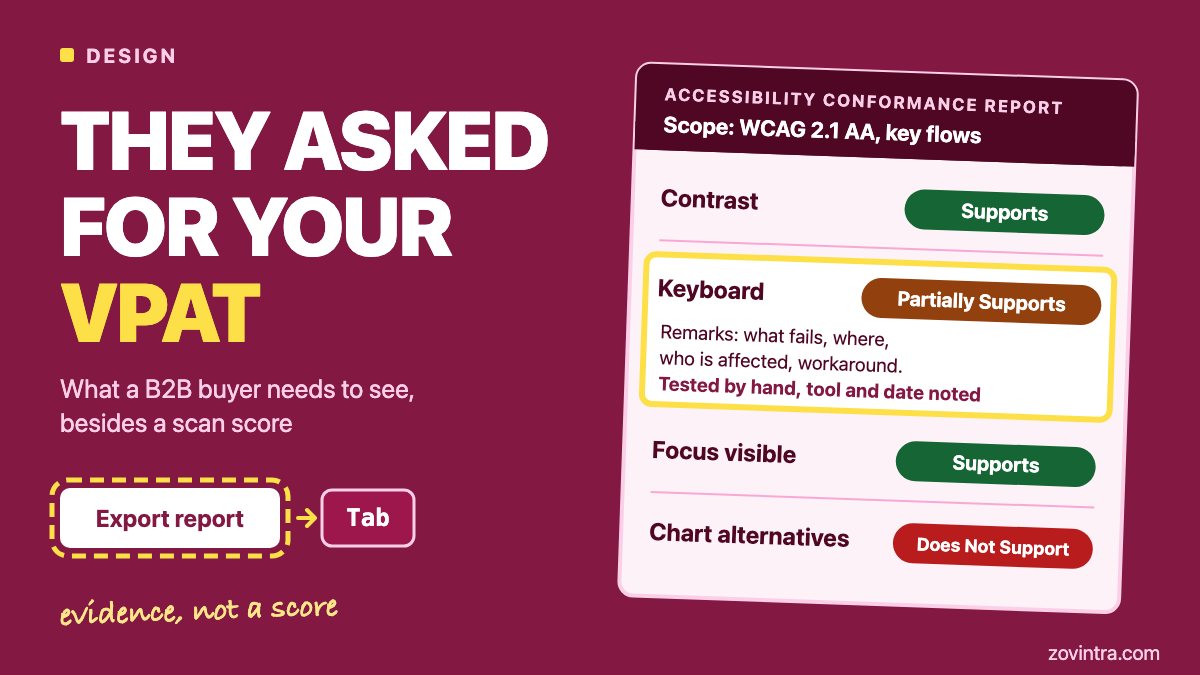
A VPAT is the blank template. An ACR, short for Accessibility Conformance Report, is the filled-in report a buyer actually wants. If a procurement team asks for your VPAT, send an ACR that rests on real testing, not a screenshot of a scanner score. A scan cannot carry that report alone: one vendor guide says scans flag or partly flag only about 25% of the success criteria in WCAG 2.1 AA, the Web Content Accessibility Guidelines at level AA. Below: what the buyer is asking for, what evidence to gather, where React dashboards usually fail, and how to word weak spots honestly. It is general engineering advice, not legal advice, and we do not issue certified audits.
What is the difference between a VPAT and an ACR?
The VPAT (Voluntary Product Accessibility Template) belongs to ITI, the Information Technology Industry Council. ITI says the template is free, and that once a product is tested and the template is completed, it becomes an ACR. Buyers often say "VPAT" when they mean the ACR, according to Accessibility.Works, a firm that sells these audits. So the thing to send is the completed report.
ITI's current template, VPAT 2.5Rev, comes in four editions: 508 for the US federal standard, EU for EN 301 549 (the European public procurement standard), WCAG, and INT, which combines all three. ITI also states that there is no VPAT certification, that it does not review or approve VPATs, and that there is no pass or fail scale. The product owner supplies the report. A claim such as "VPAT certified" therefore means nothing, and you should not make it.
Who asks? The US federal buyers' site, Section508.gov, says ACRs help contracting officials assess software during market research and proposal evaluation. It recommends that vendors create one but does not call it mandatory. That page was last reviewed in March 2018, so treat it as background. The Accessibility.Works guide adds that US state and local governments pass accessibility requirements to their vendors, and that the European Accessibility Act covers consumer-facing services. That is a vendor's reading, so check it against the buyer's own contract text.
Before you spend anything, ask the buyer three questions in writing: which edition they want, which WCAG version and level, and which parts of the product are in scope. Those answers decide how much work you face.
What does a buyer check inside the report?
Accessible.org, which also sells audits, lists five things reviewers look at.
- Scope: the exact product, version and screens or URLs that were evaluated.
- Edition: whether it fits the buyer's market (WCAG, 508, EN 301 549 or INT).
- Evaluation methods: the assistive technologies, browsers and operating systems used, and whether people tested it by hand.
- Conformance language: whether each rating matches its remarks.
- Authorship: who completed the report, and whether an independent audit supports it.
Each criterion gets one of four ratings: Supports, Partially Supports, Does Not Support or Not Applicable. The remarks column must explain the rating, and reviewers check that the two agree. Accessibility.Works says reviewers give more weight to independent evaluators, and Accessible.org says reports built on human evaluation carry more weight in procurement. If your own team writes the report, say so plainly in it.
Why is a scan score not accessibility evidence?
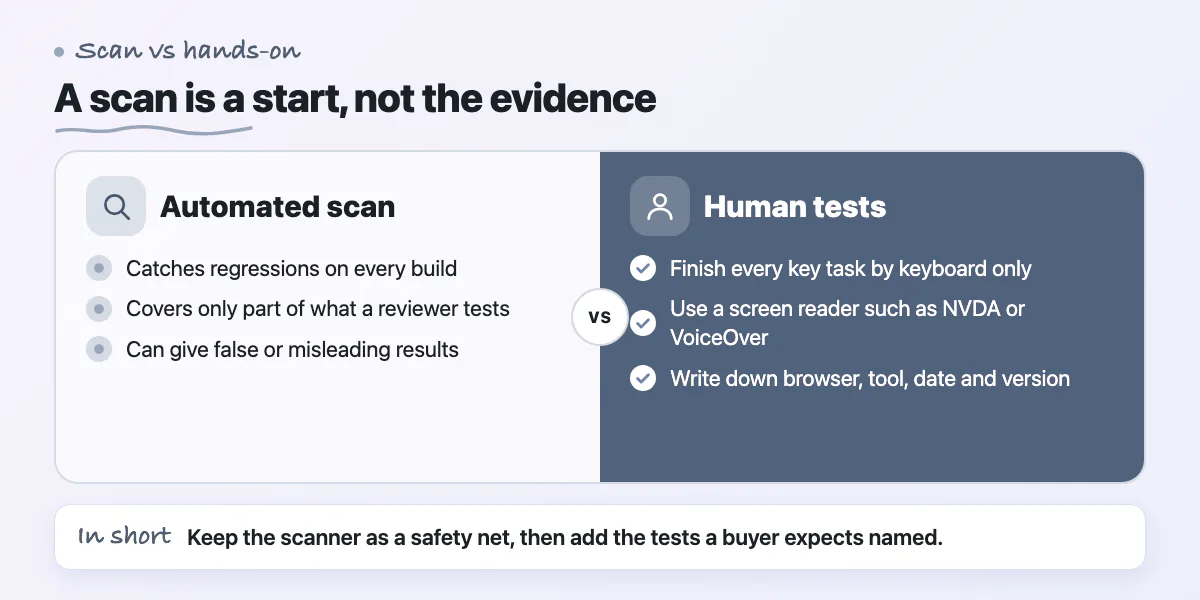
The W3C Web Accessibility Initiative says tools cannot check all accessibility aspects automatically, can produce false or misleading results, and that some checks need manual work. Two vendors put numbers on it: Accessible.org says scans flag or partly flag about 25% of WCAG 2.1 AA success criteria, and Accessibility.Works says automated tools catch roughly 30% of issues. One counts criteria and the other counts issues, and both come from firms that sell manual audits, so do not quote either figure as exact. The direction is clear, though: a green scan covers a minority of what a reviewer will test.
The same split shows up in code review, as we describe in automated scan vs human code audit. Use the scanner for what it does well: catching regressions on every build. Browser tests in CI can run it on your key pages (see our Playwright in CI guide). Then add the human tests the buyer expects to see named in the report.
- Keyboard only: finish every key task without a mouse, and never get stuck.
- At least one screen reader: JAWS, NVDA or VoiceOver, per Accessibility.Works.
- Voice control: a tool such as Dragon, per the same guide.
- A written record of each test: browser, operating system, tool, date and product version.
Where do React dashboards usually fail?
These are common patterns in data-heavy web apps, from general practice rather than a study. The WCAG success criteria named here are from the W3C's WCAG 2.2 text.
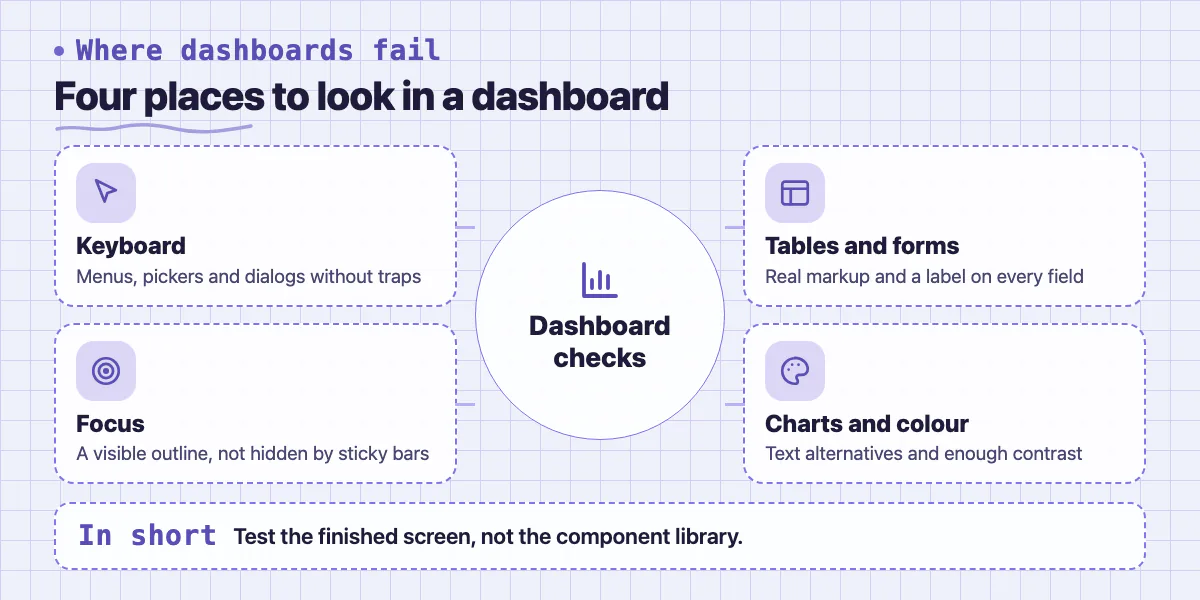
- Keyboard access. Custom menus, date pickers and clickable cards that only respond to a mouse fail 2.1.1 Keyboard (level A). A dialog that traps focus with no way out fails 2.1.2 No Keyboard Trap.
- Visible focus. Designers often remove the outline and add nothing back. 2.4.7 Focus Visible (AA) needs a visible indicator for keyboard users. WCAG 2.2 adds 2.4.11 Focus Not Obscured (Minimum), which matters when a sticky header or side panel covers the focused item.
- Data tables. Build them from real table markup with header cells, so a screen reader can read each cell with its column and row (1.3.1 Info and Relationships). Sortable headers need their sort state exposed too.
- Forms. Every field needs a visible label. Errors should name the field and say what to fix, and should not rely on red colour alone.
- Charts. A chart is non-text content, so it needs a text alternative (1.1.1). A table of the same data beside the chart is the usual answer.
- Colour contrast. Text needs a 4.5 to 1 ratio, or 3 to 1 for large text (1.4.3 Contrast (Minimum), AA). Pale grey labels on white are the usual culprit.
- Small targets and login. WCAG 2.2 adds 2.5.8 Target Size (Minimum) and 3.3.8 Accessible Authentication (Minimum), both at AA, so check icon buttons and sign-in flows.
A component library such as shadcn/ui gives you a head start on dialogs and menus, but a head start is not a conformance claim. Test the finished screen, not the library. Fix problems once in shared components, as we describe in our post on design systems, and one fix repairs every screen that uses them. Skipping this work has its own price, covered in the real cost of skipping UI/UX design. Our ManOps case study mentions accessibility semantics tests in its Flutter app. That checks labels in code. It is not an audit and it is not an ACR.
How do you gather evidence in a sequence a small team can follow?
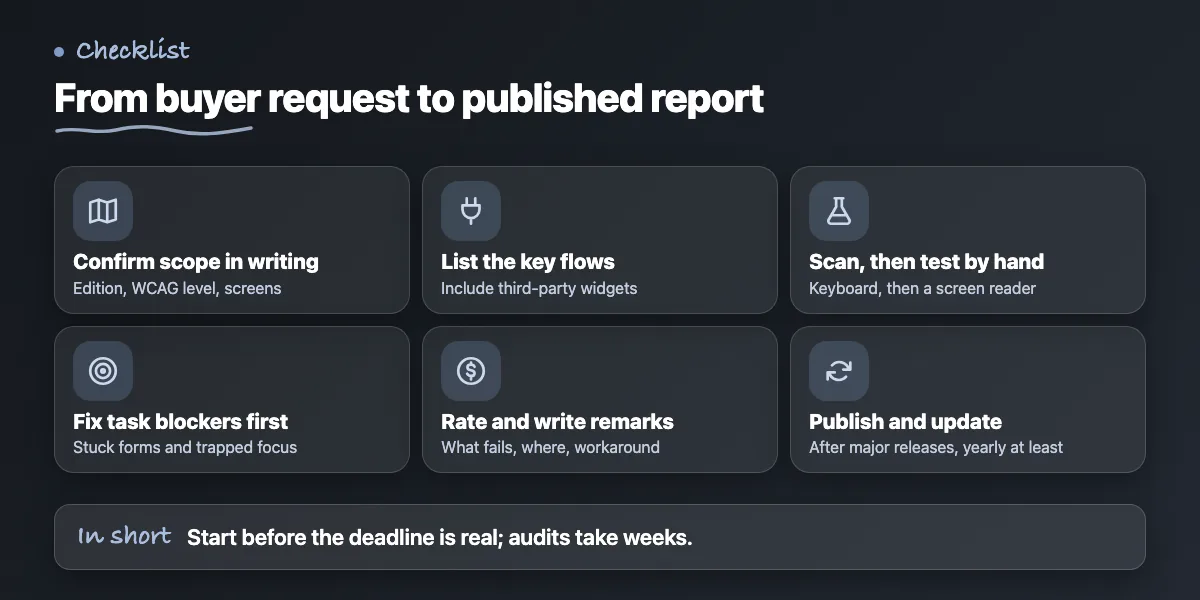
Accessibility.Works says an audit itself typically takes 2 to 4 weeks, and that preparation such as scoping and test access can add several more. Its example is a buyer with a 30-day contract deadline. Start before the deadline is real. This order is general practice for a small team.
- Confirm the edition, WCAG version, level and scope with the buyer in writing.
- List the key flows: sign-in, onboarding, the main dashboard task, export, billing and help. Add every third-party widget users touch, since Accessibility.Works says components inside your product are in scope even if a vendor owns the code.
- Run the scanner on each flow and fix what it finds.
- Test each flow by keyboard, then with one screen reader. Log the screen, the criterion and what happened.
- Fix the failures that block a task first, such as a form that cannot be submitted or a trapped focus.
- Rate each criterion honestly and write the remarks.
- Record how you tested and who did it, then publish the report where buyers can find it. Section508.gov advises making it easy to find on your site.
- Update it after major releases and at least once a year, per Accessibility.Works.
For the Partially Supports remarks, be specific about what fails, where, who is affected and what workaround exists. Compare two examples, both invented for illustration. Weak: "Partially Supports. Mostly accessible." Better: "Partially Supports. Keyboard users can reach every filter on the Reports screen, but the date range picker cannot be closed with the Escape key. Users can type dates into the text fields instead." Only promise a fix date you will keep. A reviewer who finds a gap you did not mention will doubt the rest of the report.
When can you skip a formal ACR?
You can wait if no buyer has asked and your target customers are not public bodies or large enterprises. Do the cheap basics anyway: keyboard use, visible focus, contrast and labelled fields.
You may not need a full report if the request is one line in a security questionnaire. Ask the buyer whether a short accessibility statement with your scope, test method and known gaps will do. Do not skip honesty, though. An ACR is a disclosure, not a legal ruling and not a certificate, and a rating of Supports you cannot back up is worse than Partially Supports with a clear remark. If the buyer's contract needs an independent report, that is a job for a specialist auditor, not for the team that built the product.
Want your key flows checked before you answer the buyer?
We design and build React and shadcn/ui front ends, and we can review your key user flows for keyboard, screen reader and contrast problems, then fix what we find in the interface. We do not issue ACRs as a certified auditor. See our UI/UX design service or contact us to request an accessibility check of your key flows.
Common questions
Is a VPAT the same as an ACR?
Not quite. The VPAT is ITI's blank template and the ACR is the completed report with your test results and remarks. Buyers often say VPAT when they mean the finished ACR, so send the completed report. ITI states there is no VPAT certification, so avoid wording such as certified or approved.
Does an automated scan score count as accessibility evidence?
Only a small part of it. The W3C says tools cannot check everything automatically and can mislead. Vendor estimates put automated coverage at roughly 25% of WCAG 2.1 AA criteria or 30% of issues. Keep scans as a build-time safety net, and add keyboard and screen reader tests before you claim conformance.
Do I need an independent audit to answer a VPAT request?
Not always. No ITI rule requires one, but vendor guides say reviewers weigh independent or human-tested reports more heavily, and buyers check who wrote the report. Ask the buyer what they accept. If you self-assess, say so in the report and describe your methods so a reviewer can judge them.
Sources
- What Buyers Verify in a VPAT
- Getting a VPAT for SaaS: A guide for product teams
- ITI VPAT page
- Accessibility Conformance Report
- Selecting Web Accessibility Evaluation Tools
- Web Content Accessibility Guidelines 2.2
- What's New in WCAG 2.2
Building something similar?
Talk to our engineering team about your architecture, roadmap, and delivery timeline.
Request a Technical Review →
We design, engineer, and deploy high-performance web platforms, mobile applications, and intelligent cloud systems.