Flutter 3.50 is out. The change that touches most code deprecates the built-in Material and Cupertino libraries; six more breaking changes need a check. Its release blog post is dated 11 November 2026 and says it ships alongside Dart 3.14. Flutter's breaking-changes page lists seven entries for 3.50, and the library deprecation changes imports across an app. This post lists only what we read on Flutter's own pages.
What are the breaking changes in Flutter 3.50?
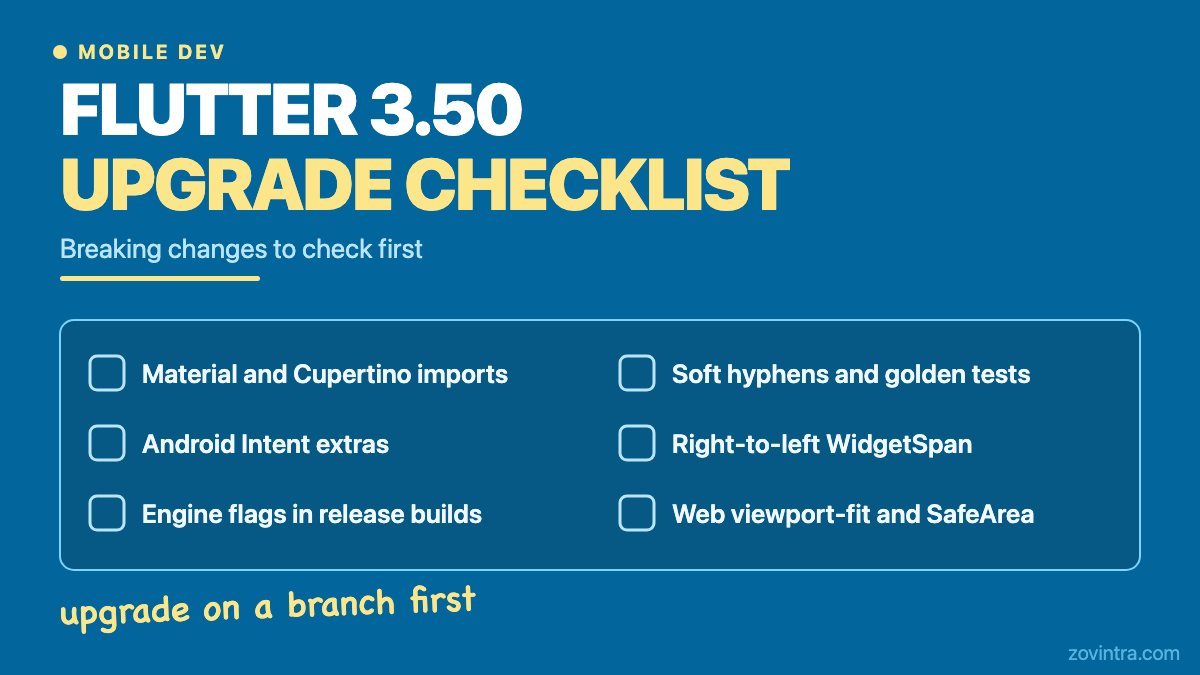
Flutter's breaking-changes page lists these seven entries under 3.50.
- Standalone material_ui and cupertino_ui packages. The in-framework libraries (package:flutter/material.dart and package:flutter/cupertino.dart) are formally deprecated in 3.50. The page gives no removal date. It offers an automated fix: dart fix --apply --code=migrate_design_widgets, then flutter pub add material_ui and flutter pub add cupertino_ui if the pubspec was not updated. Localisation delegates move too. If a dependency still imports the old libraries, the page describes a MaterialUiCompatibilityBridge. It passes theme and localisation data down, but it does not fix type mismatches, such as passing a ColorScheme from package:flutter where a material_ui type is expected.
- Restricted Android engine flags in release mode. Engine flags passed through Android Intent extras are ignored in release builds. Running flutter run --release --use-application-binary with engine flags is now a fatal error. FlutterActivityAndFragmentDelegate.Host.getFlutterShellArgs is deprecated in favour of getFlutterEngineFlags(). Per the page, standard flutter build apk --release and flutter build appbundle builds are not affected.
- Stricter Android Intent verification. In release builds, the Intent extras for initial route, Dart entrypoint, entrypoint arguments, cached engine ID and cached engine group ID are ignored unless the sender is verified. Debug and profile builds only log a warning. You are affected only if you pass those extras and the target activity is exported (android:exported="true"). The page's fixes: make host activities non-exported, use deep links, or declare entrypoints in manifest metadata.
- Soft hyphens render at line breaks. On native platforms Flutter now draws a visible hyphen when a line breaks at a soft hyphen. Lines break in the same places but get wider, which can change layout and golden image tests. Set hyphens: Hyphens.hidden on Text, RichText or TextPainter to keep the old look. TextField and SelectableText have no hyphens parameter yet, so they cannot opt out in 3.50. On web, soft hyphens stay invisible in 3.50, and the page says the web change lands in a later release. The page lists known issues in 3.50, such as the hyphen sometimes appearing where the line does not break at it.
- WidgetSpan order in right-to-left text. Inline widgets in right-to-left and mixed-direction text now follow the Unicode bidirectional order. If you added workarounds for the old order, remove them and update golden tests.
- Web viewport-fit=cover SafeArea support. You are affected only if your web/index.html already sets viewport-fit=cover. Flutter web now honours it and fills SafeArea from the browser's safe-area insets, so your layout can change. Wrap content in SafeArea or remove viewport-fit=cover.
- DropdownButtonFormField gains enabled. In material_ui (1.8.0 and later), the field gets an enabled parameter and onChanged becomes optional. The page calls it backward compatible. One caveat: enabled: false also turns off the field's own autovalidation.
What else is deprecated or removed?
These items come from the release blog post and the release notes. The release notes list pull request titles, so we give titles only. We did not read each change.
- The release blog says the previously deprecated ignoringSemantics property is removed from IgnorePointer, AbsorbPointer, SliverIgnorePointer and their render objects. The release-notes title spells it ignoreSemantics, so search your code for both spellings.
- The blog says dart:html, dart:js, dart:js_util and package:js are now deprecated in favour of dart:js_interop and package:web, and that the legacy libraries will be removed in a future Dart release. It gives no date.
- The blog says computeDryBaseline on RenderProxyBox and related render objects now returns null when the child has no baseline, instead of failing an assertion.
- Release-notes titles worth a search of your code: "Make ScrollPhysics reactive by introducing shouldUpdate" (check any custom ScrollPhysics), "Deprecate decoupled localizations, add dart fixes", "[flutter_tools] Deprecate --build and --no-build flags on flutter run", and "iOS: Remove software renderer/headless fallback".
- Tooling: the blog says new projects use Android Gradle Plugin 9.3.1 and Gradle 9.5.0, verified against Kotlin Gradle Plugin 2.4.20 with a minimum of Java 17, with default SDK values of minSdk 24 and compile and target SDK 36. The release notes list "Raise Minimum Version to AGP 9.1.1" and "[native assets] Bump minimum iOS version from 13 to 15". We did not read those changes, so check how they apply to your project.
- Intel Macs: the blog says Flutter no longer tests on Intel Mac hardware and the CLI warns once when you build on one. It also says a future release will require an Apple Silicon Mac to build.
How should you upgrade? (general advice)
These steps are general engineering practice, not taken from Flutter's pages.
- Create a branch. Upgrade there, never on the release branch.
- Run flutter pub outdated and read the changelog of each plugin that is behind. We have not checked which plugins are ready for 3.50.
- Run dart fix --dry-run, then apply it and read the diff. Do not accept it blind.
- Run the analyzer and your tests. Review golden image changes one by one: soft hyphens and RTL layout can change them for good reasons. Our post on a Flutter testing strategy for small teams covers what to keep.
- Build a release bundle and test it on a real Android device: deep links, notification taps and any screen opened from another app.
- If you ship web, open the app on a phone and check SafeArea.
What to do this week
- Read the seven entries above and mark the ones that touch your app.
- Search your code for: package:flutter/material.dart, package:flutter/cupertino.dart, ignoringSemantics, ignoreSemantics, dart:html, dart:js, getFlutterShellArgs, EXTRA_INITIAL_ROUTE and viewport-fit=cover.
- Check your Android manifest for exported activities that extend FlutterActivity or FlutterFragmentActivity.
- Run the upgrade on a branch and write down what breaks.
- Pick a date for the Material and Cupertino migration and put it on your board.
When you can skip this
You do not have to upgrade today. The pages we read set no deadline for leaving an earlier version, and the Material and Cupertino page gives no removal date for the old libraries. If your app has no Android Intent entry points, no web build, no right-to-left inline widgets and no soft hyphens, five of the seven entries do not apply to you, and the migration is the main job. Plan it, but you do not need to rush it.
Want help sizing the work?
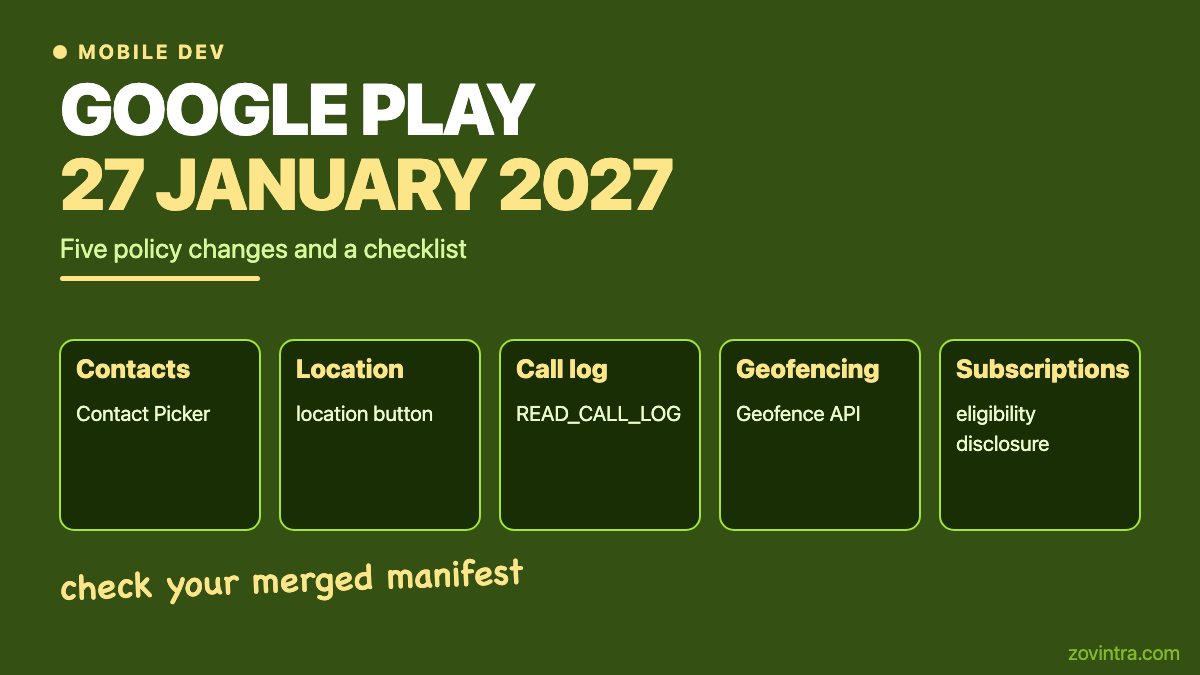
If your Flutter app has not been upgraded for a while, a code and health review shows how far behind it is before you commit to a plan. You can contact us or start with the free code review. Upgrading is also a good time to run through our store readiness checklist. If you ship to Google Play, also check its 27 January 2027 policy changes.
Common questions
Which breaking change in Flutter 3.50 affects the most apps?
The deprecation of package:flutter/material.dart and package:flutter/cupertino.dart, because any app importing them is affected. It is a deprecation, not a removal, and the page gives no removal date.
Which Dart version does Flutter 3.50 use?
Flutter's release blog says Flutter 3.50 is ready to serve alongside Dart 3.14. Flutter's SDK release manifest also lists stable 3.50.0, dated 11 November 2026, with Dart 3.14.0.
Will my Android release build break because of the Intent changes?
Only if you pass the listed Intent extras and the target activity is exported, or if you pass engine flags to a release build through Intent extras or the CLI. Standard release builds from flutter build are not affected, per the page.
Sources
- Flutter 3.50.0 release notes
- Breaking changes and migration guides
- Migration to standalone material_ui and cupertino_ui packages
- What's new in Flutter 3.50
Building something similar?
Talk to our engineering team about your architecture, roadmap, and delivery timeline.
Request a Technical Review →
We design, engineer, and deploy high-performance web platforms, mobile applications, and intelligent cloud systems.