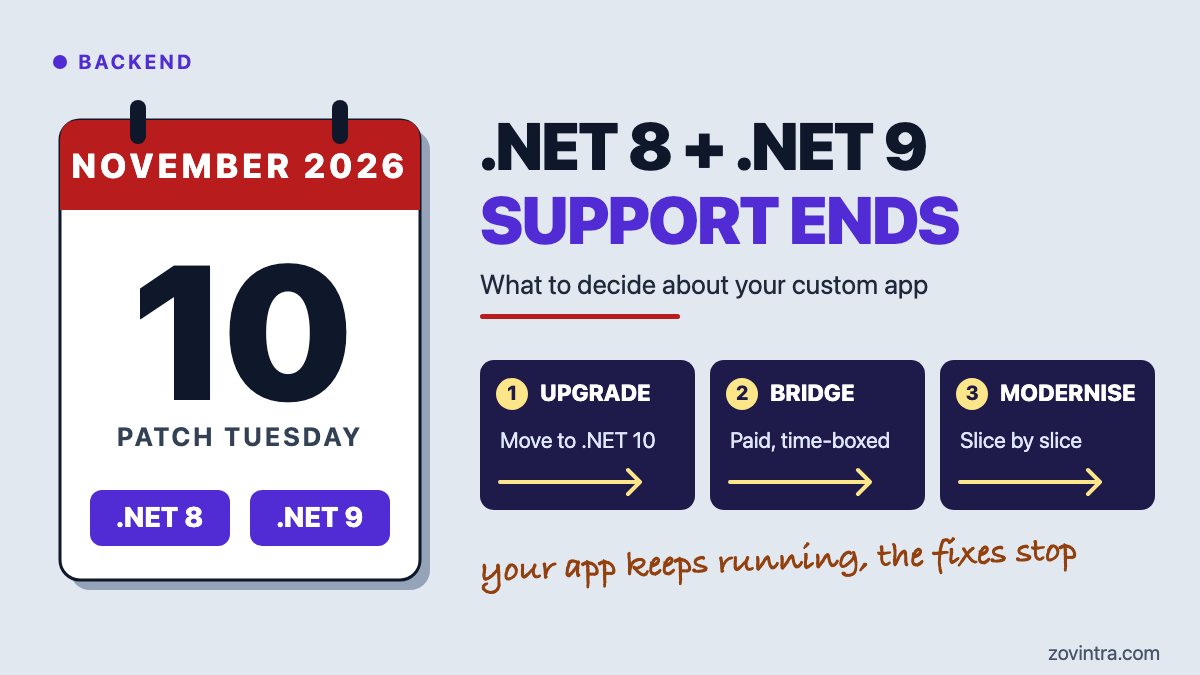
If your business app runs on .NET 8 or .NET 9, support for both ends today, 10 November 2026. The app does not stop. Microsoft's .NET team says apps on these versions keep running, but there are no new security fixes and no technical support after today. So the decision for the owner is not whether to panic. It is which route takes the app to a supported version, .NET 10, and by when. This post lays out three routes, how to check what you run, and a 30-day plan. It is general engineering advice, not a quote for your system.
What changes today, and what does not?
Microsoft's announcement of 29 June 2026 gives 10 November 2026 as the end-of-support date for both versions. .NET 8 is a long-term support (LTS) release from November 2023. .NET 9 is a standard-term support (STS) release from November 2024, and STS releases now get 24 months. Microsoft's support policy page says LTS gets three years of free support and STS two, and that end-of-life dates follow the second Tuesday of the month, Microsoft's Patch Tuesday. Today is that Tuesday.
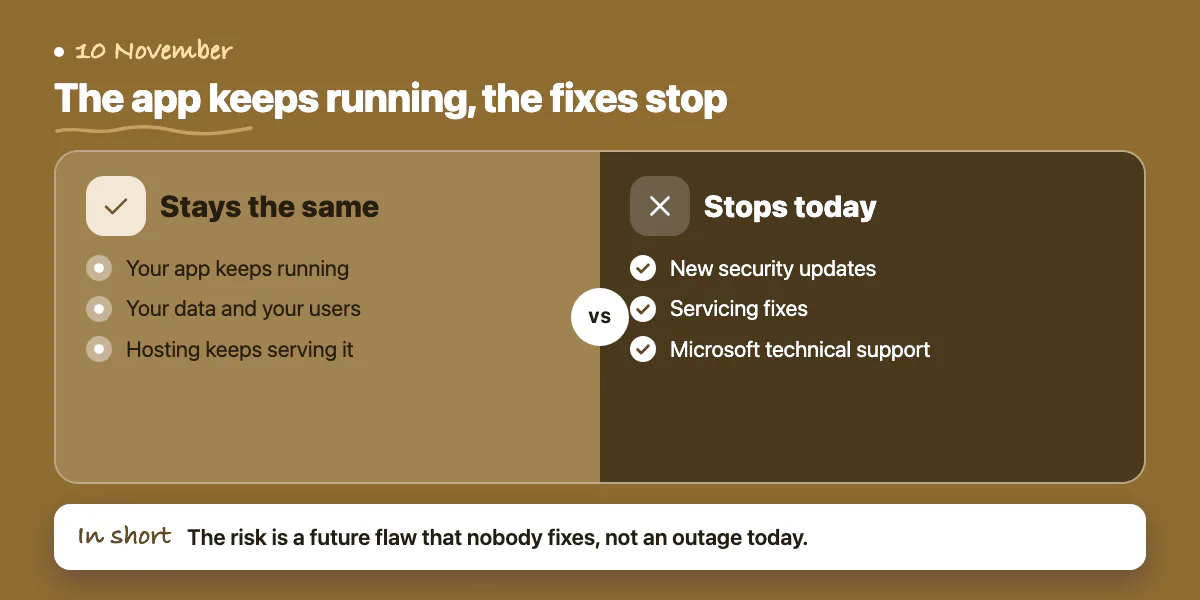
- What stays the same: your app, your data and your users. Microsoft says the app keeps running. Trade press such as InfoWorld reported the same on 1 July.
- What stops: new security updates, servicing fixes and Microsoft technical support for the .NET runtime your app uses.
- Hosting is covered the same way. Microsoft's Azure notice for App Service, dated 24 April 2026, says web apps on .NET 8 keep running but get no security updates or customer support. A separate notice dated 23 September 2026 says the same for Azure Functions, and adds that in-process apps must move to the isolated worker model before the upgrade.
- Tools: Microsoft says a later Visual Studio 2022 update will mark the .NET 8 and .NET 9 components as out of support. Existing installations are not affected.
The risk is not an outage today. The risk is that when someone finds a flaw in .NET 8 or 9 next month, Microsoft will not fix it for you. How much that matters depends on whether the app is reachable from the internet and what data it holds. We know of no specific flaw to point at, and this post does not claim one.
How do you find out what your app runs?
Many owners do not know. Ask four questions, in this order, and get each answer in writing.
- Which version does the code target? Ask your developer or supplier for the project file (it ends in .csproj) and the line called TargetFramework. The values net8.0 and net9.0 are affected. net10.0 is already on the supported version. Older values, such as net6.0, are already past end of support: Microsoft's policy page gives 12 November 2024 for .NET 6.
- Which runtime is installed where the app runs? On the server, the command dotnet --list-runtimes lists what is installed. An app can also carry its own runtime inside it, so the list may not tell the whole story. This is general practice, so ask your developer to confirm.
- Where is it hosted? Microsoft says to update hosting environments as well as the code. A server, a container image, App Service or Azure Functions each has its own runtime setting. Your build pipeline and your developers' machines need the .NET 10 tools too.
- Who owns the keys? You need the code repository, the hosting account and the deployment process in your name. Our ownership checklist covers what to ask for.
Which of the three paths fits your app?
Microsoft recommends .NET 10. It is an LTS release, supported through November 2028, and the policy page lists 14 November 2028. Your three real options are below.
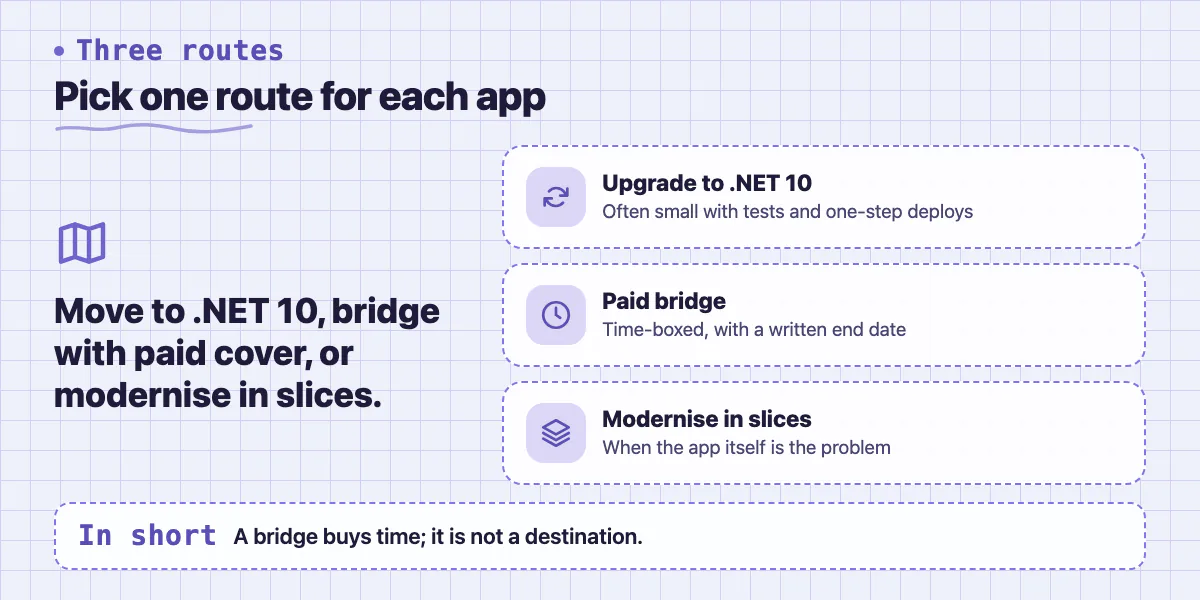
Path 1, upgrade to .NET 10. Microsoft's first step is to change the TargetFramework value to net10.0, then update your tools and hosting. Microsoft also keeps a list of breaking changes in .NET 10, grouped by area, such as ASP.NET Core, Entity Framework Core and Windows Forms. As a general rule, this is a small job when the app has automated tests, few packages, and a deployment that runs in one step. It grows when a key package has no .NET 10 version, when there are no tests, or when the app uses the Azure Functions in-process model.
Path 2, pay for extended support as a bridge. Microsoft's announcement and its support policy page mention no paid extended-support programme for .NET 8 or 9. Third-party vendors do sell one. For example, HeroDevs offers a patched replacement runtime for unsupported .NET 6, 8 and 9 and says it needs no code changes. That is a vendor's claim, we have not tested it, and its price is by quote. Treat it as a bridge with an end date, not a home. It buys time while path 1 or 3 happens. Ask what it covers (the runtime only, or libraries too), who patches, how fast, and what happens when the contract ends.
Path 3, modernise in slices. Sometimes the version is not the real problem. The app may have no tests, nobody who understands it, or a design that blocks every change. Moving to .NET 10 will not fix that. Pick one module, put a clear boundary around it, move or rebuild it on a supported runtime, and leave the rest running. Our posts on inheriting a messy codebase and when you need a code audit cover how to size this first.
A short decision list. These are rules of thumb, not guarantees.
- Tests exist and deployment is one step: plan path 1 this month.
- An upgrade is blocked by a package or supplier you cannot change soon: take path 2 with a written end date, and start path 1 or 3 anyway.
- Nobody can explain how the app works, or the pain goes beyond the version: audit first, then path 3.
- The app is bought, not built for you: ask the supplier, as set out next.
What should you ask a vendor who supplies the app?
If a supplier built or sells the app, the runtime is their job, but the risk sits with you. Microsoft's advice is to ask the developer or vendor for a version that targets .NET 10. Put these questions in an email and ask for a dated reply.
- Which .NET version does the product run on today? Ask for the exact version, not a general reassurance.
- Is there a build for .NET 10, and on what date will we get it?
- Until then, who handles security fixes for the runtime, and is that in our contract or an extra fee?
- Does the .NET 10 build need a different server, hosting plan or database version?
- What will you test, and how will we confirm it works before it goes live?
- If you cannot give a date, will you confirm that in writing so we can plan a bridge?
If the app is a hosted service you only open in a browser, the supplier runs the runtime. Still ask for a written statement. A maintenance agreement should say who owns upgrades like this one.
What is a sensible 30-day plan?
The days below are our general planning advice, not a Microsoft timetable. Adjust them to your size.
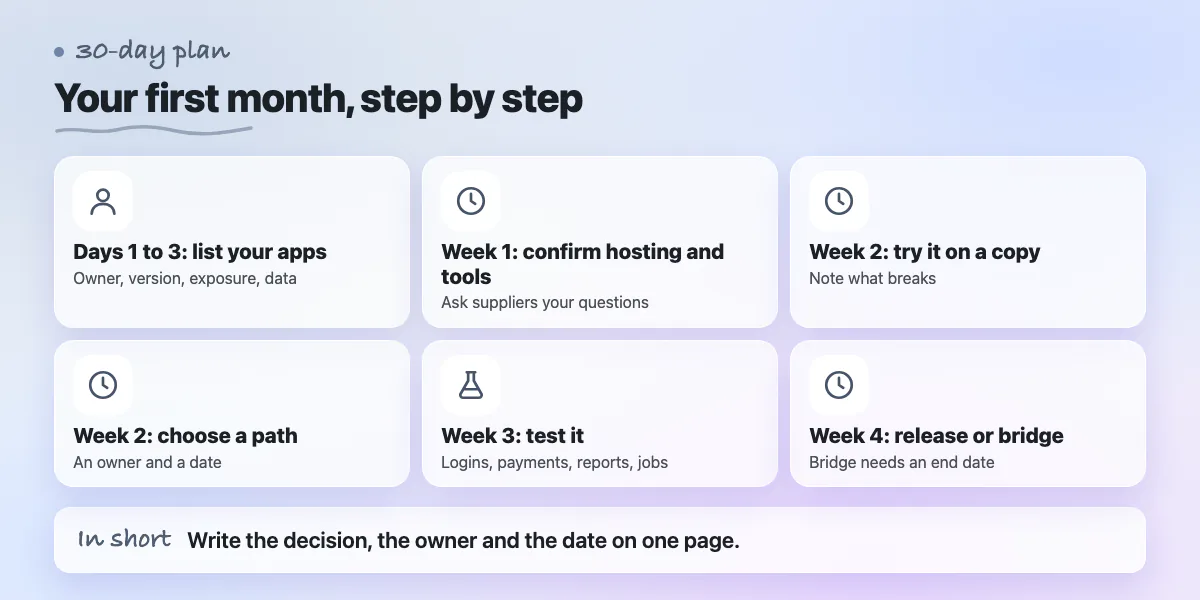
- Days 1 to 3: list every .NET app, who owns it, which version it targets, whether it is reachable from the internet, and what data it holds.
- Week 1: confirm hosting and build tools for each app. Ask suppliers the questions above.
- Week 2: try the upgrade on a copy of the code. Note what breaks, and read the .NET 10 breaking-changes list against it.
- Week 2: choose a path for each app, with an owner and a date written down.
- Week 3: deploy the upgraded copy to a test environment. Check logins, payments, reports, scheduled jobs and file uploads.
- Week 4: release it, or sign the bridge with an end date and keep the upgrade on the board.
- Any time: tell your insurer or auditor if they ask. We have no source saying every insurer or auditor checks this, so ask yours what they expect. Keep a one-page record of the versions, the decision, the owner and the date.
One vendor, HeroDevs, says in its white paper that security scanners will keep flagging an unsupported runtime. That is a vendor source and we cannot confirm it, but a written record answers a scanner finding or a client questionnaire better than silence.
When can you skip this or wait?
This post does not apply to every system. You can set it aside when:
- Your app already targets .NET 10. Check that the server and pipeline do too.
- Your app is not built on .NET. If you run Node.js on Vercel, read our Node.js 20 end-of-life post instead.
- Your app uses the older .NET Framework (target values such as net48). That is a different product with its own support rules, which this post does not cover. Check Microsoft's lifecycle pages.
- The app is an internal tool, not reachable from the internet, holds little sensitive data and will be retired soon. You may choose to accept the risk. Waiting does not remove it. Write the decision down with a date to look again.
If you are already on .NET 6 or 7, nothing changed today. Those versions passed end of support earlier, so the same decision is more overdue.
Want an outside view before you pick a path?
ZoVintra's default stack is Next.js and Supabase, so we do not claim a track record of .NET builds. What we can offer is an assessment: what the app runs on, how exposed it is, and what each path would take in effort. If the answer is to modernise in slices, that is custom software work. You can contact us or start with the free code review.
Common questions
Will my .NET 8 app stop working after 10 November?
No. Microsoft says apps on .NET 8 and .NET 9 keep running. What ends is security updates and technical support. The same holds on Azure App Service and Azure Functions, per Microsoft's notices. The problem is a future flaw that nobody fixes, not an outage today.
How long will .NET 10 be supported?
Microsoft's announcement says .NET 10 is an LTS release supported through November 2028, and its support policy page lists 14 November 2028. LTS releases get three years of free support. Support also requires you to install the latest patch update, so an upgrade needs a patching habit.
Can I pay Microsoft for extended support for .NET 8?
Microsoft's announcement and support policy page mention no paid extended-support programme for .NET 8 or 9. Third-party vendors sell their own. Treat those as a time-boxed bridge: ask what the vendor covers, who patches and how fast, and what it costs, and get the scope, price and end date in writing.
Sources
- .NET 8 and .NET 9 reach end of support on 10 November 2026
- .NET and .NET Core official support policy
- Retirement: Support for .NET 8 (LTS) ends on November 10, 2026
- Retirement: Support for .NET 8 and .NET 9 ends on November 10, 2026
- Breaking changes in .NET 10
- End of support looms for .NET 8 and .NET 9
- The .NET Cliff: What Happens When .NET 8 and .NET 9 Stop Getting Patched
Building something similar?
Talk to our engineering team about your architecture, roadmap, and delivery timeline.
Request a Technical Review →
We design, engineer, and deploy high-performance web platforms, mobile applications, and intelligent cloud systems.