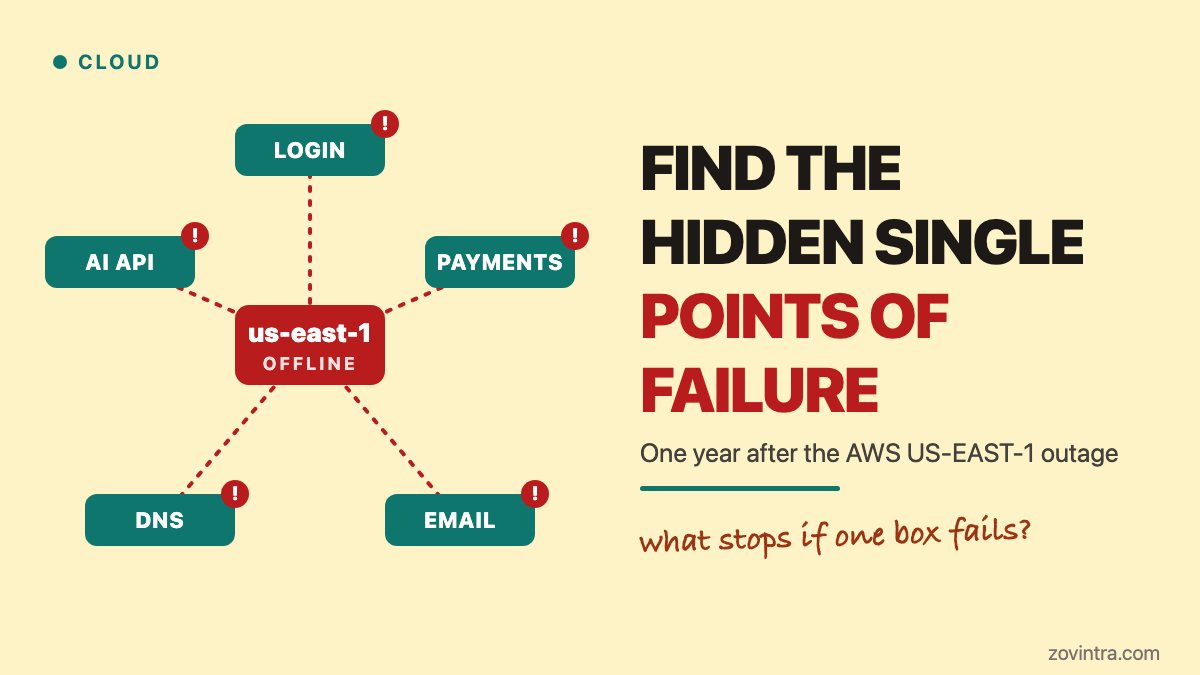
Your app is probably less independent than it looks. In October 2025 a DNS fault in one AWS region, US-EAST-1, disrupted services for about 14 and a half hours. Four weeks later a configuration bug at Cloudflare made its network return errors for close to six hours. Yesterday was the first anniversary of the AWS event. You cannot stop the next one, but you can find the one part of your stack that takes everything down with it.
What actually failed in October and November 2025?
Both providers published their own accounts. We use those, plus one news report for who was affected.
AWS says the event ran from 11:48 PM PDT on 19 October to 2:20 PM PDT on 20 October 2025. The trigger was a latent race condition in the DNS system for DynamoDB, AWS's database service. A stale DNS plan overwrote a newer one, a cleanup job then deleted it, and the regional endpoint was left with no IP addresses, so clients could not find it. DynamoDB itself had elevated errors for about three hours, until 2:40 AM. The rest of the outage came from services built on top of it. The AWS summary lists no steps for customers to take.
Cloudflare's post on 18 November 2025 describes a different fault. A database permissions change made a query return duplicate rows, which doubled the size of a Bot Management feature file. The proxy software accepts at most 200 features, the file went past that, and the proxy crashed. Cloudflare says impact began at 11:20 UTC and everything was back to normal at 17:06 UTC. It also says this was not an attack.
A Reuters report, republished by GV Wire, named apps hit by the AWS event, including Snapchat, Venmo, Coinbase, Robinhood, Duolingo and Lyft. That is a news list, not an AWS statement.
Why did apps that never called DynamoDB go down?
Because a dependency is anything your app needs in order to work, not only the services you call by name. AWS's summary shows how one fault spread. In US-EAST-1, launching new EC2 servers failed for about 14 hours, load balancers returned connection errors for about nine hours, Lambda had errors and latency, and the AWS service that issues temporary credentials (STS) and IAM sign-in also failed for part of the event. AWS notes that existing EC2 instances were not affected.
Cloudflare shows the same shape. Its Access login service had widespread failures until a rollback at 13:05 UTC. Turnstile, Cloudflare's captcha-style check, failed to load, and because the Cloudflare dashboard login page uses it, most users could not log in. Cloudflare says existing sessions were unaffected.
Our reading, and it is general reasoning, not a claim from either provider: in both events, what already ran often kept running, while anything new broke. New logins, new servers, new deployments and new scheduled jobs are where hidden dependencies show up.
How do you build a one-page dependency map?
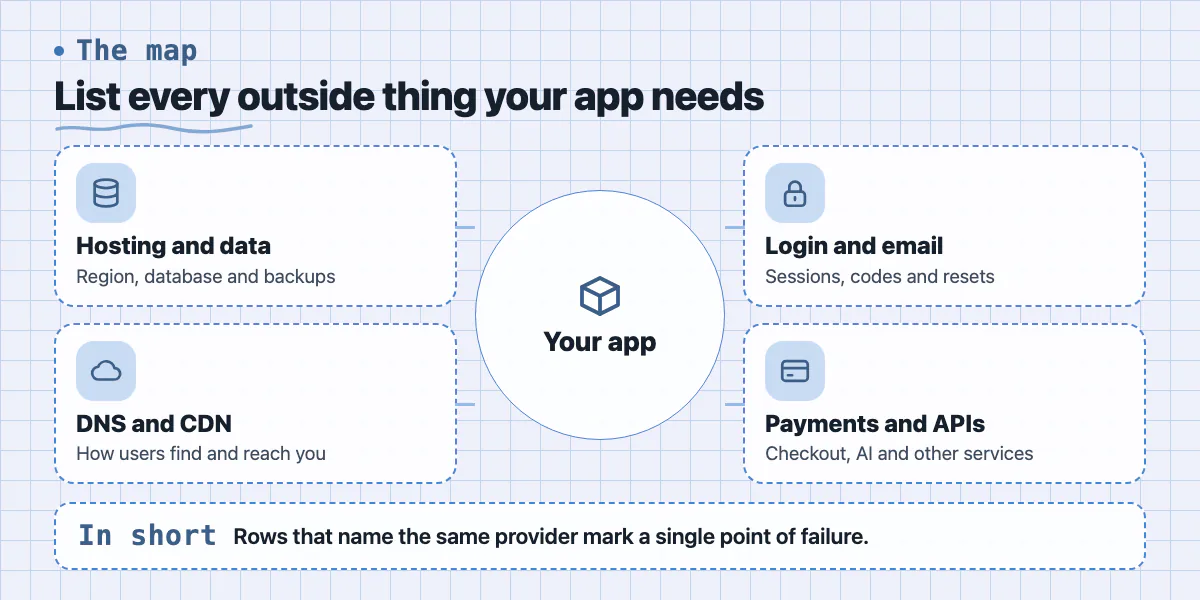
Open a blank document and write one line for each item below. For each line, name the vendor, the region or location if there is one, and what the user sees if it is gone.
- Compute and hosting: which cloud region or regions run your app? Which regions does your host or platform use for you? Ask the vendor if you do not know.
- Database and file storage: which provider, which region, and where do backups live? A backup in the same account and region as the database shares its fate.
- DNS: who answers for your domain? If that service fails, your site has no address.
- CDN or proxy: does all traffic pass through one provider, as it does with Cloudflare for many sites?
- Login: who issues sessions? Does the login page load anything else, such as a captcha or bot check?
- Email and SMS: who sends sign-in codes and password resets? If they fail, nobody can log in even when your app is healthy.
- Payments: what happens to a customer mid-checkout if the payment provider is down?
- AI and other APIs: which features call an outside model or service? Our post on an AI provider fallback plan covers that one in depth.
- Your own tools: where do code, CI builds, secrets, monitoring, your status page and your team chat live? If they sit on the failing provider, you cannot fix or announce anything.
- Accounts and people: who can log in to each vendor account? Our ownership checklist helps with that.
Then look for rows that repeat. If three lines name the same provider, that provider is a single point of failure: one fault that stops several things at once.
Which features must keep working, and what can pause?
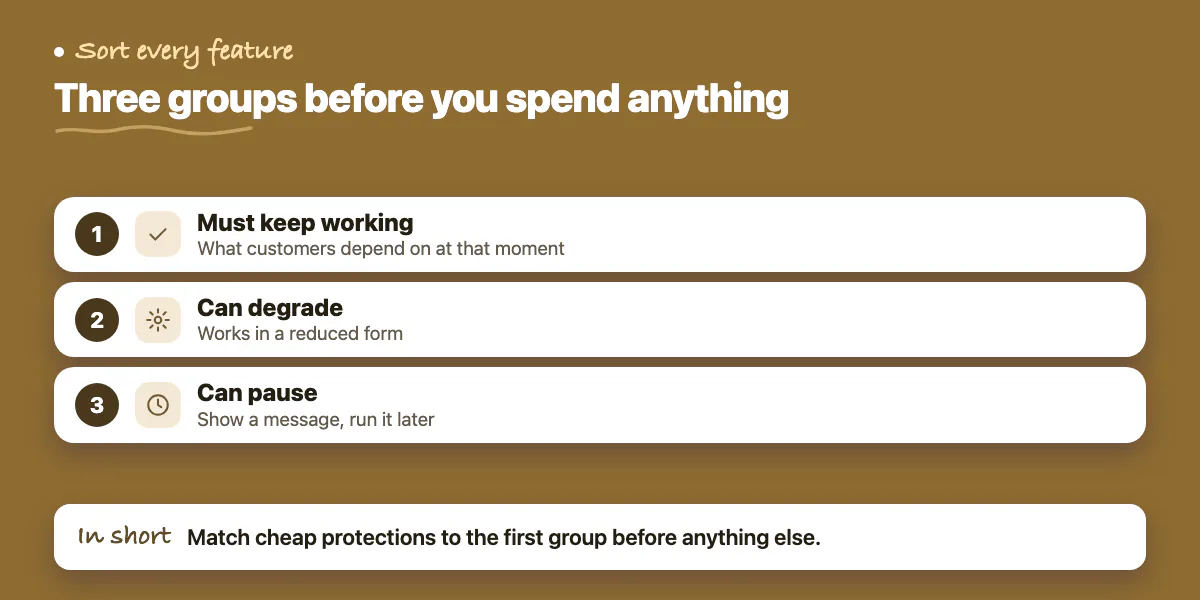
You cannot protect everything equally, and AWS's own guidance warns against building a recovery plan stricter than you need, because it costs money. Sort each feature into one of three groups before you spend anything.
- Must keep working: what customers pay for or depend on at that moment. For a booking app, existing bookings can be viewed. For a billing tool, invoices can be opened.
- Can degrade: works in a reduced form. Reads come from a cache, search is slower, images are missing.
- Can pause: new sign-ups, report exports, bulk imports, marketing emails. Show a clear message and run them later.
Now match cheap protections to the first group. These are general engineering practice, not advice from either provider.
- Put your status page and incident contacts somewhere that does not share a provider with your app. A status page on the failing system tells nobody anything.
- Cache reads. If the database is unreachable, can customers still see their last-known data with a banner?
- Queue writes where it is safe. Accept the request, store it elsewhere, and replay it when the system returns. Do this only for actions that are safe to repeat.
- Keep sessions reasonably long. Cloudflare says existing sessions were unaffected, so a sensible session length gives you room to recover.
- Copy backups to another region and another account, and test a restore. See our post on backup restore tests.
- Write down the manual steps for DNS and CDN changes, and keep a recovery login that does not depend on the provider that is down. Our first-hour incident plan covers who does what.
When is multi-region worth it, and when can you skip it?
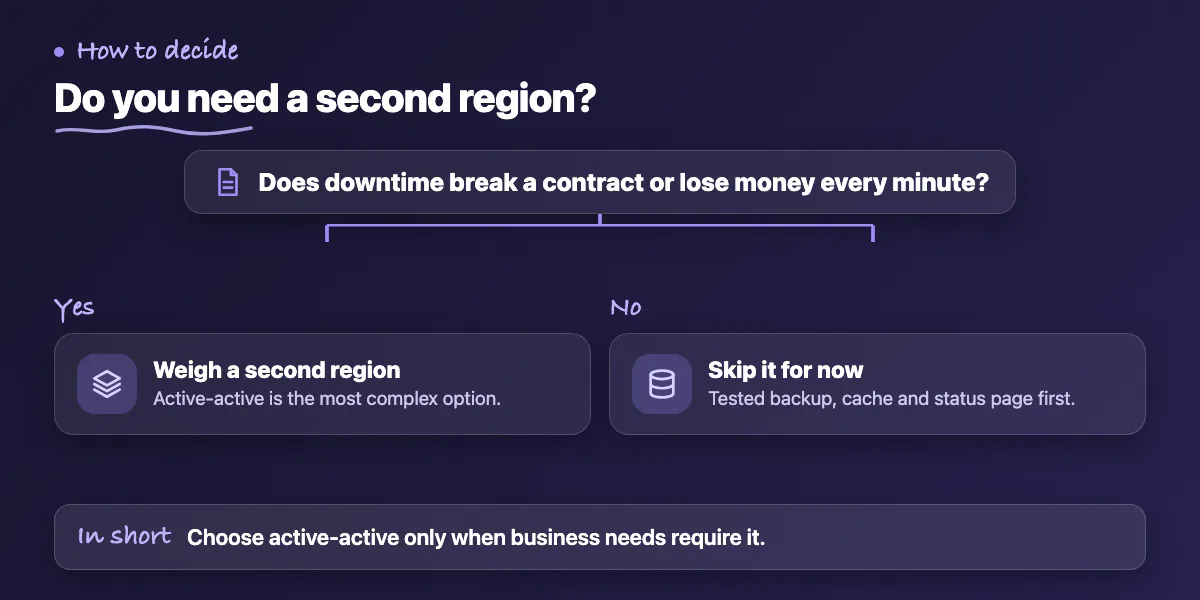
Running your app in two regions sounds like the obvious fix. AWS's reliability guidance lists four options, in rising order of cost and complexity: backup and restore, pilot light, warm standby and active-active. It describes active-active as the most complex and says to choose it only when business requirements demand it.
The same page says a plan spread across several Availability Zones (separate data centres inside one region) covers fires, floods and power cuts. Multiple regions matter only if a whole region cannot run your workload, which is what happened in US-EAST-1 in October 2025.
You can probably skip multi-region for now if all of these are true:
- A few hours of downtime does not break a contract or cost you customers.
- You have a tested backup in a second region, so data loss is limited.
- Your dependency map shows no provider that is a bigger single point of failure than your cloud region.
- Rebuilding your servers from code, not by hand, is something your team has actually tried.
Think harder if you have an uptime promise in a contract, or if downtime loses money every minute. Two other cautions from the AWS page: copying data to another region does not protect you from corrupted or deleted data unless you also keep point-in-time backups, and a recovery plan that depends on control-plane actions, such as launching new resources, is fragile. AWS says to rely on the data plane during recovery. In this event, launches of new instances in US-EAST-1 failed while running instances kept going. Also, if your data must stay in one country, check which regions your provider offers there: the AWS page says multi-region does not suit a locality with only one region.
For many small SaaS products, a tested backup, a cheap cache and a clear status page do more for the money. Our post on running costs for a small SaaS shows what the extra spend looks like on a typical stack.
How do you run a 60-minute outage drill?
A drill turns the map into muscle memory. This format is our suggestion, not a standard.
- Minutes 0 to 10: pick one dependency from the map, for example your login provider or your cloud region. Say out loud, "It is down and will be for hours."
- Minutes 10 to 25: walk through what each user type sees, using the three groups above. Write the real answer, not what you hope is true.
- Minutes 25 to 40: try the workaround on a test or staging copy. Can you reach your DNS settings? Can you log in to the vendor console? Can you post to the status page?
- Minutes 40 to 55: time how long recovery would take and compare it with what you promise customers.
- Minutes 55 to 60: write down three fixes, with an owner and a date each. Repeat with another dependency next month.
Keep a short runbook for each result. The zero-downtime launch checklist covers rollback habits that help here too.
Want a second pair of eyes on your dependencies?
If you would like help building the map, testing a restore or writing the outage runbook, our team can review it with you. See our support and hosting service or contact us with your stack, and we will tell you where we think the single points of failure are.
Common questions
How long did the AWS US-EAST-1 outage last?
AWS says the overall event ran from 11:48 PM PDT on 19 October 2025 to 2:20 PM PDT on 20 October 2025, about 14 and a half hours. DynamoDB errors were highest in the first three hours. Other services, such as EC2 launches and load balancers, recovered later, and some Redshift clusters stayed impaired into 21 October.
Do I need multi-region hosting for a small SaaS?
Often not. AWS's own guidance says to avoid a recovery strategy stricter than you need and to choose active-active only when business needs require it. Start with a dependency map, a status page hosted elsewhere and a tested cross-region backup. Add a second region if downtime costs you more than the extra build and running cost.
What is a single point of failure in a SaaS app?
It is one component whose failure stops the whole product or a critical part of it. Common examples are one cloud region, one DNS provider, one login or email service, or one AI API. You find them by listing every outside service your app needs and noting which ones appear in several places.
Sources
- AWS: summary of the Amazon DynamoDB service disruption in the Northern Virginia (US-EAST-1) Region
- Cloudflare outage on November 18, 2025
- REL13-BP02 Use defined recovery strategies to meet the recovery objectives
- Amazon Web Services experiencing widespread outage impacting other services
Building something similar?
Talk to our engineering team about your architecture, roadmap, and delivery timeline.
Request a Technical Review →
We design, engineer, and deploy high-performance web platforms, mobile applications, and intelligent cloud systems.