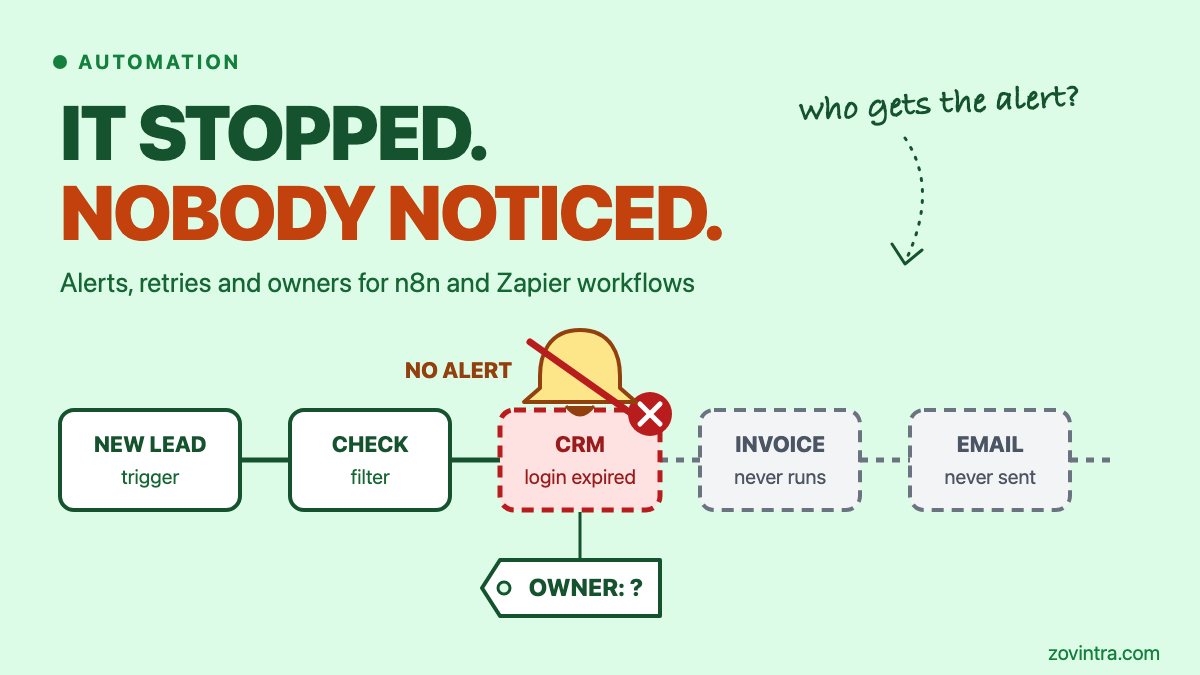
Yes, an automation can stop, run empty or write wrong data and show no error at all. A tool can only alert you about what it sees as a failure, and a run that finishes cleanly but sends an empty report looks like a success. The fix has four parts: an alert that reaches a person, a check on what each run produced, retries that are limited and visible, and one named owner. This post walks through each, using n8n's documentation, a long n8n community thread and Zapier's help pages. The advice on checks, retries and ownership is general engineering practice, not vendor guidance.
Why do automations fail without an error?
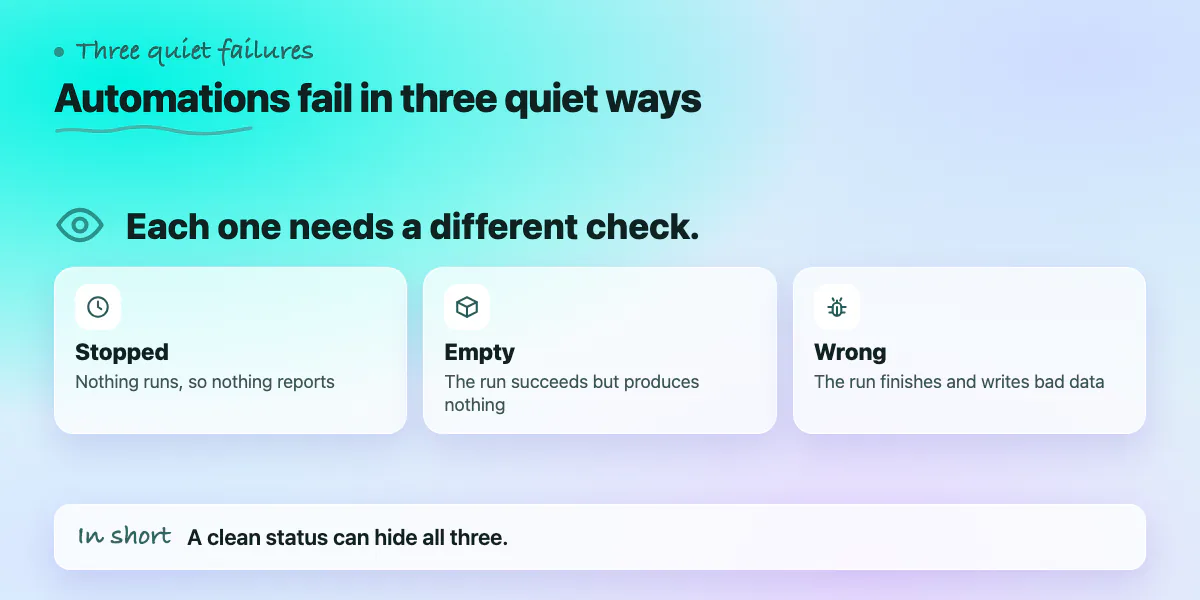
There are three quiet ways to fail. Each needs a different check.
- Stopped. Nothing runs, so nothing can report. A Zapier run can sit "on hold" while it waits for a fix, such as a disconnected app or a reached task limit, according to Zapier's troubleshooting page. In n8n, a failing trigger node sends different error data from a failing step, per the n8n error handling docs. Expired logins are a common cause of both.
- Empty. The run succeeds but produces nothing. In the n8n community thread, a reply from 7 July 2026 describes a request that returns a 200 response with zero rows and still sends an empty report. Zapier has a similar status: a run is "safely halted" when it stops on purpose, usually because a search step found no results. Zapier says safely halted runs do not turn the Zap off.
- Wrong. The run finishes and writes bad data. A reply dated 27 July 2026 in the same thread describes 33 identical AI-written drafts caused by a hardcoded prompt. Row counts did not catch it, because the right number of rows was written.
Scheduled code has the same problem, as we cover in Vercel cron jobs: what goes wrong and how to make scheduled work reliable. The tool is different, the silence is the same.
What is the minimum monitoring?
Three things, none of them expensive.
- An error workflow that alerts a person. In n8n you build a workflow that starts with the Error Trigger node, then pick it under Error workflow in each workflow's settings. One error workflow can serve many workflows. The alert data includes the workflow name, the last node that ran, the error message and a stack trace. The execution ID and link are present only if the execution was saved. Send it to a channel a human reads, not to an inbox nobody opens.
- A check after the calls that matter. The thread's original author, an n8n verified creator, checks the status code after critical HTTP calls and sends anything other than 200 or 201 to a log and an alert. The Stop and Error node lets you force a failure on your own rule, for example "zero rows", so the error workflow fires.
- A heartbeat. An error workflow only speaks when a run starts and fails. A workflow that never starts stays silent. A reply in the thread suggests a separate scheduled watcher that logs each run and alerts on missing, failed or zero-row runs. A weekly message that lists what ran and what did not is a simple version.
Then check the output, not only the status. These checks come from the same thread and from general practice.
- Compare the row count with a normal range, not a fixed number. The thread warns that a rule like "fewer rows than expected" retries forever on a legitimately small day and raises false alerts at 3am. A baseline from earlier runs avoids that.
- Stop before you send. If a report or email has no content, block it and alert.
- Look for repeats. To catch identical output, the 27 July reply hashes each normalised output and flags collisions inside one run. That reply also promotes its author's own template, which we have not tested.
- Keep monitoring from breaking the workflow. The same reply sets the alert node to continue on error and treats a blocked item as unmarked, so the next run picks it up again.
Our post on error monitoring before you launch covers the same ideas for web apps. If an alert does fire at night, the first hour of an incident is a useful plan to follow.
When do retries help, and when do they hide a problem?
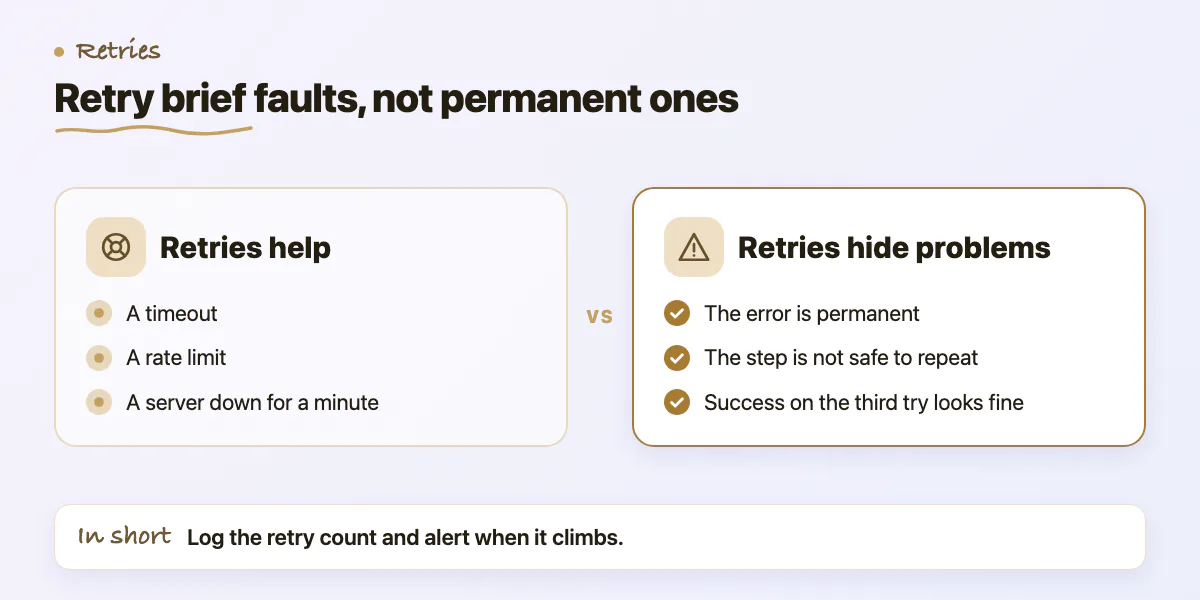
Retries help with brief faults: a timeout, a rate limit, a server that is down for a minute. n8n's node settings docs describe Retry On Fail as rerunning a node when it fails. Zapier's Autoreplay replays runs with an errored status, according to its Replay Zap runs page. It is available on Professional plans and higher, and it does not replay safely halted runs. The pages we read do not say how many attempts it makes.
Retries hide problems in four cases. These points are general practice.
- The error is permanent. A wrong password or a rejected record fails again every time. Retry timeouts and rate limits, not validation errors.
- The step is not safe to repeat. A retry can send a second email, create a second invoice or charge twice. Check whether the work is already done before you repeat it.
- Success on the third try looks like success. If a step needs three tries every night, something is wrong. Log the retry count and alert when it climbs.
- "Continue" hides the failure. n8n's On Error setting offers Stop Workflow, Continue, or Continue using the error output. Continue moves on despite the error, so add your own check on that step or you will not know it happened.
One more point on Zapier. A Zap is turned off when 95% of its runs in the last 7 days have errored, per Zapier's error settings page. On Team and Enterprise plans, Zapier emails the account owner first and gives a grace period (24 hours on Team, 72 hours on Enterprise). If that owner has left, nobody sees the email.
Who owns each automation, and what should a 30-minute audit check?
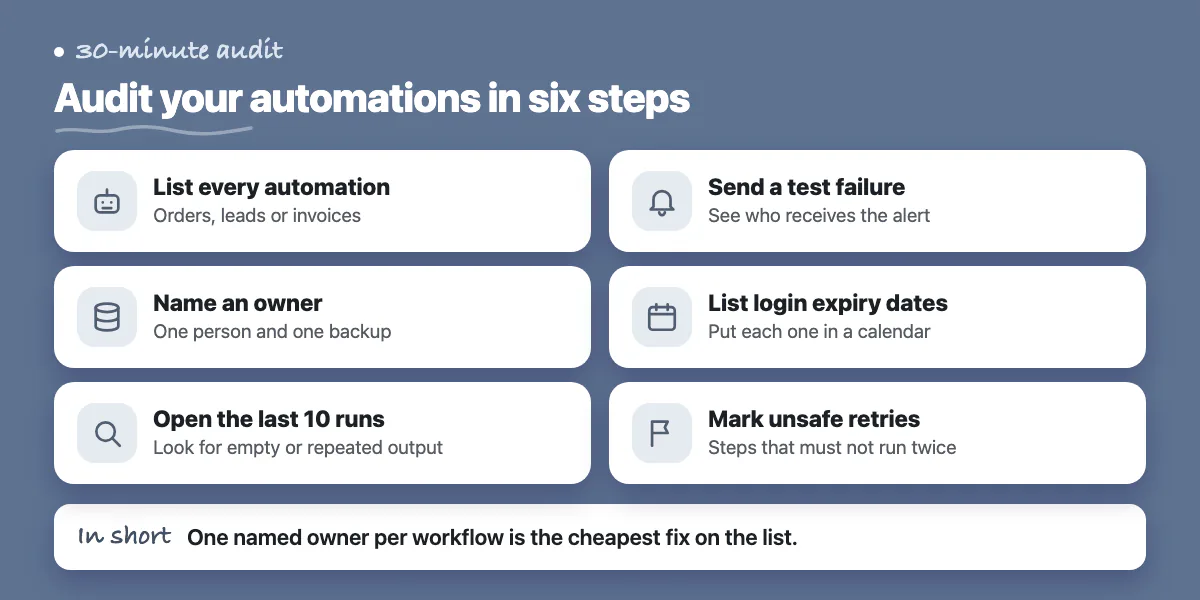
Give every workflow one named person and one backup. A team is not an owner. Add a one-page runbook and a change log. This is general practice; the sources above do not cover it.
- Runbook: what the workflow does, what starts it, which systems it touches, which logins it uses, what a failure looks like and how to replay or fix it.
- Change log: date, person, what changed. When something breaks after a quiet week, the last change is the first place to look.
Logins deserve their own calendar. Google's OAuth documentation says that for an external app in Testing status, a refresh token expires in 7 days. A token can also stop working after a password change when it has Gmail scopes, or when it has gone unused for six months. Put each expiry date in a calendar and send the reminder to a shared mailbox, not to one person's inbox.
A 30-minute audit of your automations:
- List every automation that touches orders, leads or invoices, and mark whether each is active.
- Write the owner and backup next to each one.
- Open the last 10 runs of each and look for empty, repeated or oddly small output.
- Confirm each has an alert, and send a test failure to see who receives it.
- Check that something notices a workflow that stops running.
- List the logins each one uses and when they expire.
- Mark any step that is unsafe to retry.
If the audit shows a workflow with many branches that moves money and needs tests, it may have outgrown the tool. Read no-code vs custom development and how to add a backend to a no-code app before you decide.
When you can skip this
Not every automation needs a heartbeat and baselines. A personal Slack digest or a one-off data move is fine with a single failure alert. If a failure costs less than the time to monitor it, or a customer would notice within the hour, keep the alert and the owner and skip the rest. If you run three simple workflows and read their run history every week, you already have most of this. The case that needs all of it is a workflow where a missed run costs money and nobody would notice for days.
Want a second pair of eyes on your automations?
If orders, leads or invoices run through n8n, Zapier or a similar tool, a short review can list each workflow, who owns it, what alerts it has and which ones could fail silently. Request a 30-minute automation audit or contact us. If a workflow has outgrown its tool, we can also talk about moving it into code.
Common questions
How do I get an alert when an n8n workflow fails?
Create a workflow that starts with the Error Trigger node and add an email or Slack step. Then choose it as the Error workflow in the settings of each workflow you want to watch. n8n's docs say one error workflow can serve many. A workflow that never starts sends no alert, so add a scheduled check as well.
Does Zapier retry failed Zaps automatically?
Zapier has a setting called Autoreplay that replays runs with an errored status. Its help pages mark it as available on Professional plans and higher, not on the Free plan. It does not replay safely halted runs, which stop on purpose, usually when a search step finds nothing. The pages we read do not state how many attempts it makes.
What should I check besides errors?
Check what the run produced. Compare the row count with a normal range, block empty reports before they send, and flag repeated output within one run. Also keep a calendar of login expiry dates and name one owner per workflow. These are general practice, and the n8n community thread above describes several of the output checks.
Sources
- Error handling
- Never let your automations silently fail: the error handling pattern I use for every deployed workflow
- Nodes
- How to troubleshoot errors in Zap workflows
- Replay Zap runs
- Decide how your Zap handles errors with advanced settings
- Using OAuth 2.0 to access Google APIs
Building something similar?
Talk to our engineering team about your architecture, roadmap, and delivery timeline.
Request a Technical Review →
We design, engineer, and deploy high-performance web platforms, mobile applications, and intelligent cloud systems.