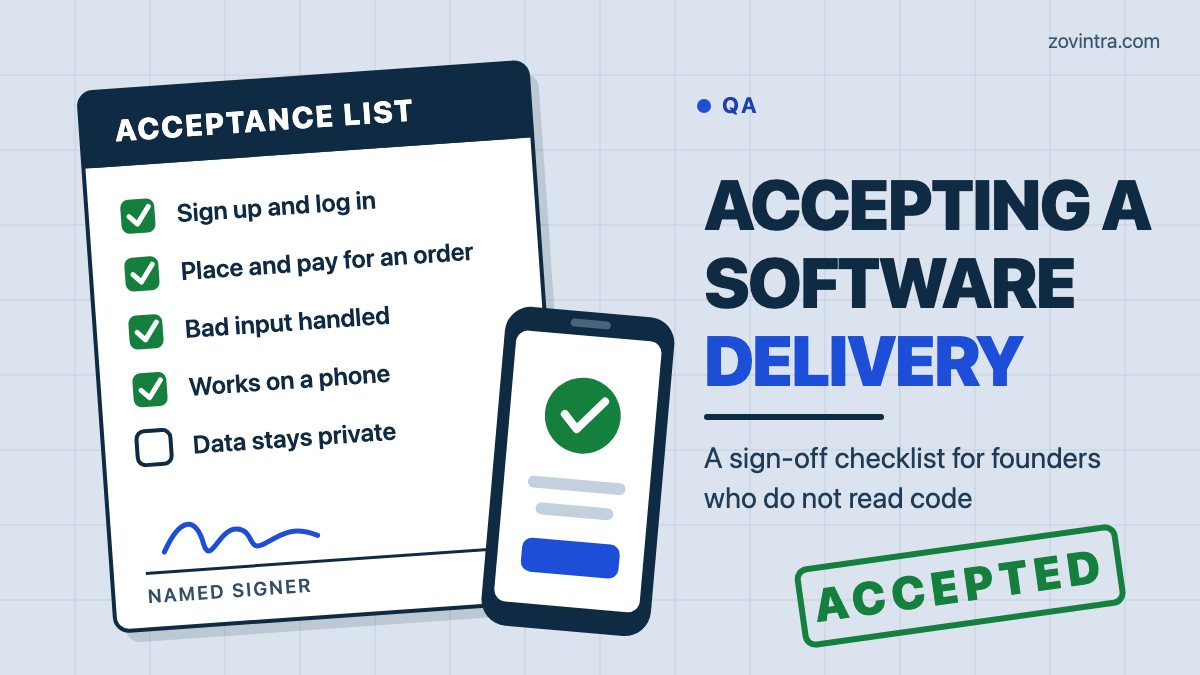
Accept a delivery by checking it against a list you agreed before the build, not against your impression of it. You do not need to read code. You need four things: a written list of what the build must do, a test pass you run yourself, a rule that separates a defect from a new request, and a named person who signs only when the list is done. Two 2026 guides to user acceptance testing (UAT), from TestRail (19 February) and Bug0 (13 July), describe the same order of work for professional teams. Both vendors sell testing products, so we use them for the process and not for any claim about outcomes.
What does accepting a delivery actually mean?
Acceptance is a business decision: this does what we agreed, so we will pay for it and move on. It is not a code review. The team has usually done its own testing first. TestRail describes UAT as the final phase after internal QA and before release, with end users doing the testing. Bug0 says the same: real business users run it, not the engineering or QA team.
The signature matters because of what it can trigger. Sprintlaw, an Australian online law firm, notes in a February 2026 guide that, depending on the contract, acceptance can trigger payments, handover steps, the start of support or warranty periods and go-live. Read your own contract for those four before you sign anything.
Also look for a deemed acceptance clause. Sprintlaw explains that a deliverable can count as accepted if you do not reject it within a set time, and gives 5 to 10 business days as an example period. If your clause is shorter than the time you need to test properly, that is worth raising before the build, and our guide to software contract red flags covers other clauses to check.
What should you agree before the build starts?
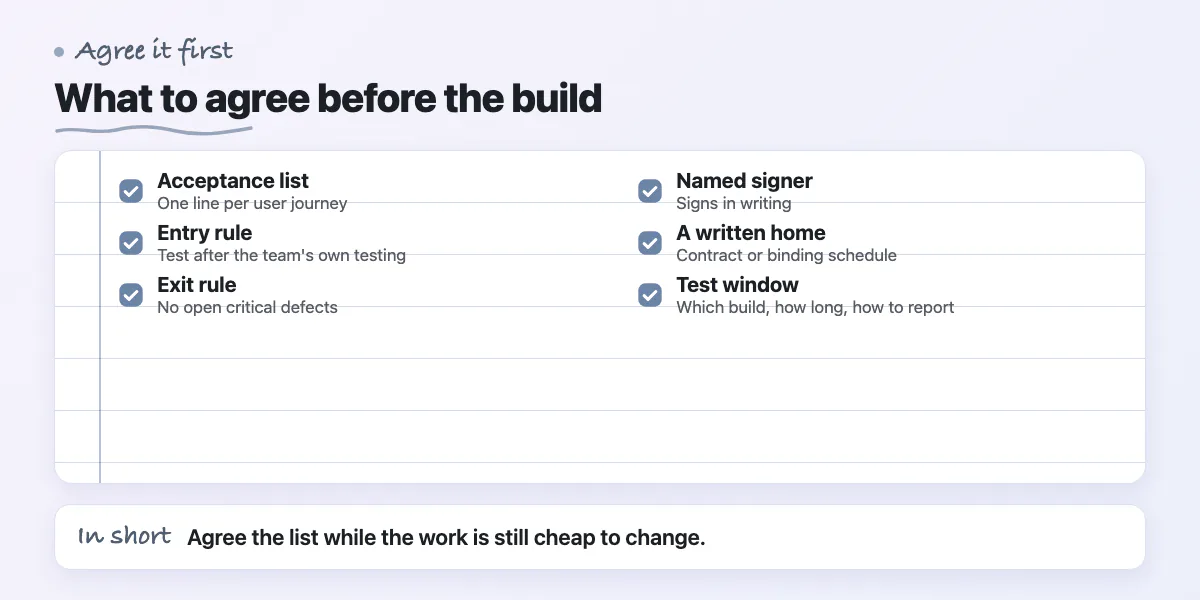
Agree the acceptance list while the work is still cheap to change. Bug0 says the criteria should be written and agreed with the business owner before UAT begins. Sprintlaw says strong criteria are objective, testable and tied to business outcomes, and that a phrase like "looks modern" invites disputes. A practical way to write them is one line per user journey: who does what, and what they should see. For example: "A customer can reset a password and log in with the new one."
If you have not written a brief yet, start with how to write a software brief and what to give a developer to start. Then add this agreement:
- The acceptance list: one line per user journey, plus measurable lines for speed, security, device support and accessibility (Sprintlaw).
- An entry rule: you test only after the team has finished its own testing and fixed known critical defects (Bug0).
- An exit rule: every criterion tested, no open critical defects, and any known issue accepted in writing (Bug0).
- A named signer: TestRail advises naming in advance who has authority to approve release, and Bug0 wants the named business owner to sign in writing.
- A written home: Sprintlaw says criteria belong in the contract or a binding schedule, not only in emails or a proposal.
- A test window and a method: how long you have, which build you test, and how you report issues (general practice).
Skip the verbal route. Bug0 warns that a verbal approval evaporates under post-launch pressure. A one-line email that says "Accepted against checklist v2, signed by [name]" is enough, if it is dated and names the build.
How can a non-technical founder run a test pass?
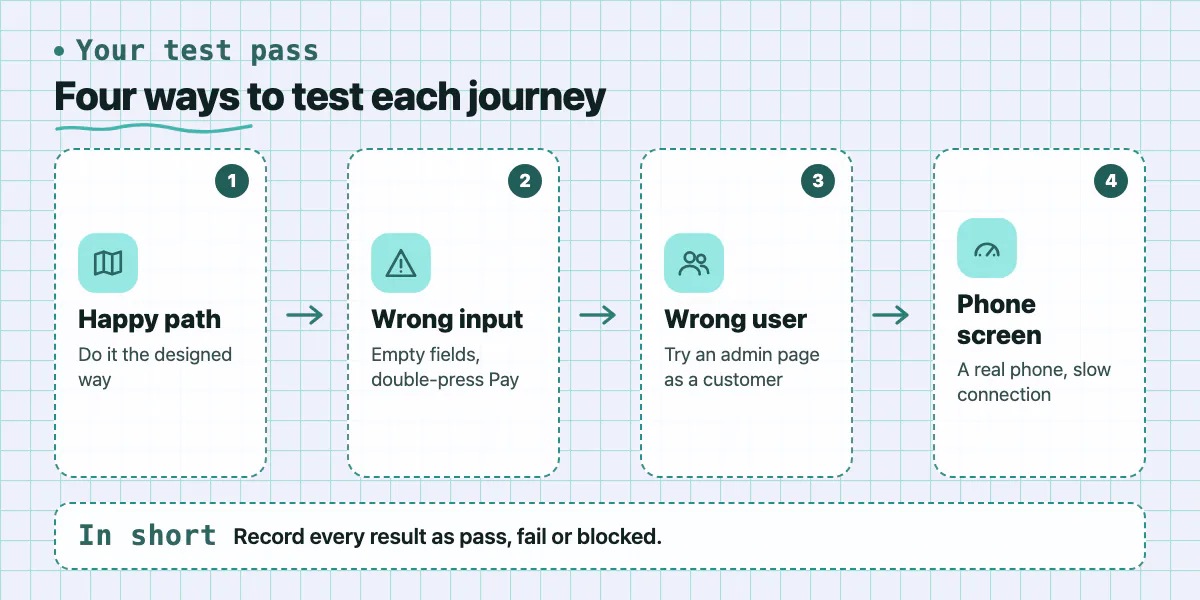
Use the staging build, a test account and your own phone. Both guides say the people who test should be real users, so if you can, ask one or two staff members or customers to repeat your pass. The steps below are general practice, not taken from the sources. Run all of them for each journey on your list.
- Happy path: do the journey the way it was designed, start to finish.
- Wrong input: leave fields empty, type letters in a phone number box, paste a very long name, press Pay twice. The app should show a clear message and not break or charge twice.
- Wrong user: log in as an ordinary customer and try to open an admin page by pasting its address. Then log in as one customer and look for another customer's data. If either works, treat it as a serious defect. Our post on broken access control in AI-generated apps explains why.
- Phone screen: repeat each journey on a real phone, and once on a slow connection.
- Interrupted use: refresh the page, press the back button and close the app halfway through a task.
- Messages: check that every email or SMS arrives and says the right thing.
Record each result as pass, fail or blocked. Bug0 says blocked cases must stay marked blocked, not skipped, so the release owner can see what remains unverified. It also says to log a failure the day you find it, with the steps, the data you used and a screenshot. If the team ships AI-generated code, the team's side of the work is in our definition of done for AI-generated code.
Defect or change request: how do you decide?
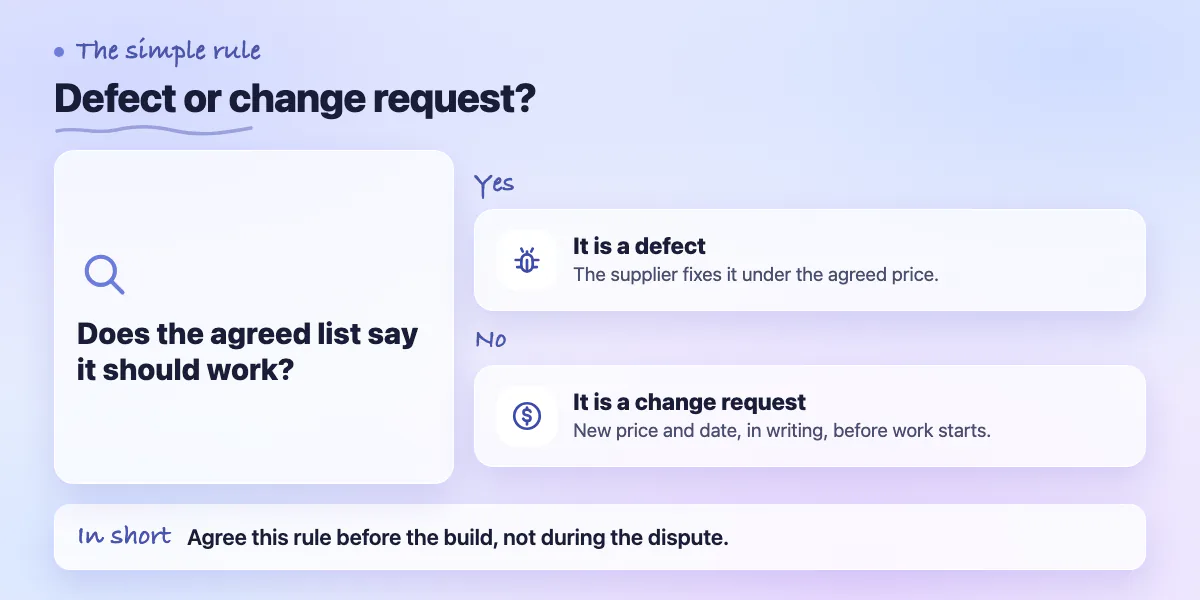
Agree the rule before the build, because both sides read the word "bug" differently. Adaptive US, a business analysis training provider, wrote in August 2026 that users call anything unexpected a defect, while a supplier may count only what was written down. It describes a bank whose vendor labelled more than 600 user-reported problems as change requests because the requirements were not explicit. That is one account from a training company, so treat it as a warning and not as a statistic.
A simple rule, which is general practice and not legal advice:
- The list says it should work and it does not: defect. The supplier fixes it under the agreed price.
- The list never mentioned it and you want it added: change request. It gets a new price and date, in writing, before work starts.
- It works as written but you would like it different: change request.
- It crashes, loses data or shows one user another user's data: defect, even if nobody wrote it down. Put this line in the agreement.
- Unwritten but any user would assume it: a grey area. Agree who decides, and add the missing line to the list so it does not repeat.
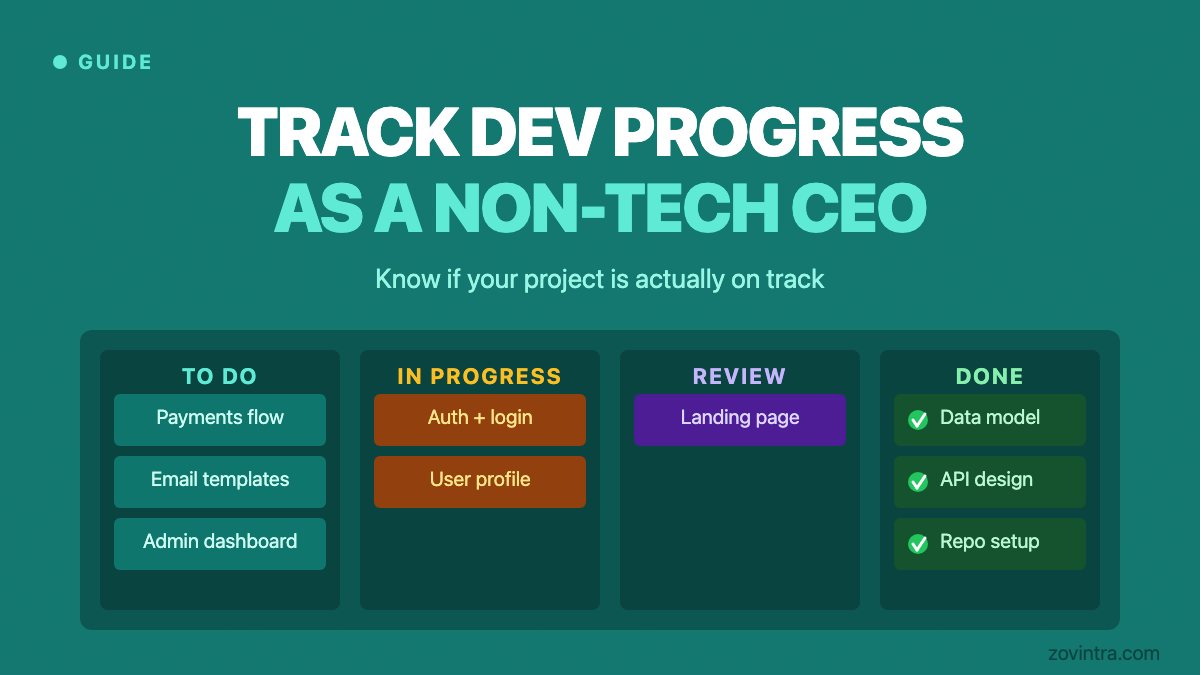
Sprintlaw makes two related points. A contract should define a defect, set severity levels, say which levels block acceptance and give fix periods. It should also keep new features out of defect fixes and send them through a documented change process. Our guide to tracking development progress shows how regular demos reduce the number of grey areas that reach this stage.
What should you do when the build fails acceptance?
Do not sign. Send the failed items with dates, steps and screenshots, and ask for a fix date for each. Sprintlaw describes the usual path: the supplier fixes the defects in the agreed time, you retest, often only the fixes, and acceptance follows unless critical defects remain. It also describes conditional acceptance, with a defect list and a fix timeline, so that you are not forced to choose between accepting everything and rejecting everything. TestRail suggests sorting feedback into what needs instant action and what needs discussion, which helps the team decide what to fix first.
Keep evidence as you go. TestRail says to record all UAT results, including test cases, defects and resolutions, for future reference and audits. In practice, keep these in one shared folder:
- The signed or emailed acceptance checklist, with its version.
- The build or release number you tested, and the date.
- The test accounts and sample data you used.
- Screen recordings or screenshots of each failure and of each retest.
- The defect list with a status and a date for every line.
- Any known issue you accepted in writing, with the agreed fix date.
If you later hand the project to another team, this folder goes with the code. Our developer handover checklist lists the rest.
When can you skip most of this?
A full checklist is too much for a one-line text change, a single small bug fix or a throwaway prototype. For those, two things are enough: one sentence on what should change, and a quick look on your phone. If you build with a team that shows you working software every week and you test as you go, the final sign-off becomes a short confirmation, not a surprise.
Do not skip the written list when money is tied to the milestone, when real customers or their data are involved, or when the contract starts a warranty clock on acceptance. In those cases the signature has consequences, and the checklist is cheap by comparison.
Want a second opinion before you sign off a build?
We offer a delivery acceptance review: we help write the acceptance list before the build, run a test pass on the finished build and prepare a sign-off pack you can keep. If you are about to approve a delivery and are unsure what to test, talk to us about a review or contact us.
Common questions
What is a user acceptance testing checklist?
It is a written list of what the finished software must do, set before the build starts. You test each line on a staging build and mark it pass, fail or blocked. Sign-off follows only when every line passes or any remaining issue is accepted in writing. It checks whether the product works for real users, not how the code is written.
Who should sign off a software delivery?
A named business owner or product owner, agreed before the build. Both TestRail and Bug0 say to decide in advance who has the authority to approve release. Bug0 adds that the sign-off should be in writing. An engineer on the supplier's side should not sign for you, because acceptance is your decision about whether the work meets the agreed list.
Is a bug the same as a change request?
No. A bug, or defect, is something that fails a requirement you both agreed. A change request is something new or different that the agreement never covered. The rule is simple, but disputes start when requirements are unwritten, so agree the rule and write the acceptance list first. Check your own contract for its definitions.
Sources
- User Acceptance Testing (UAT) guide, 2026
- What is user acceptance testing?
- Contract Acceptance Testing: Clear Acceptance Criteria for Software and SaaS
- Bug vs requirement
Building something similar?
Talk to our engineering team about your architecture, roadmap, and delivery timeline.
Request a Technical Review →
We design, engineer, and deploy high-performance web platforms, mobile applications, and intelligent cloud systems.